To bypass the paywall entirely and get the full phone app on your car screen, use Screen2Auto via AAStore or AAAD instead
Last Updated: July 6, 2026
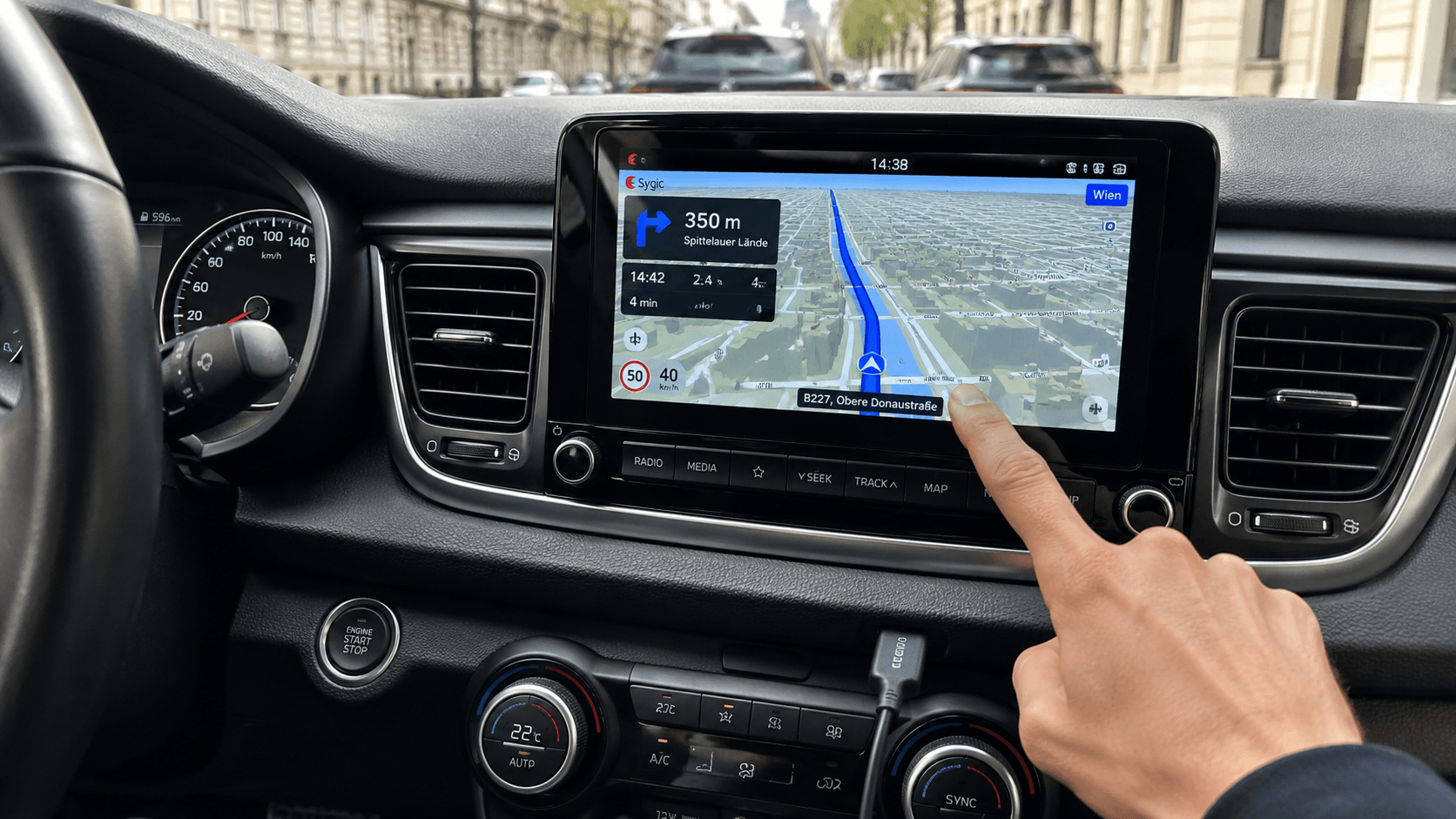
Many people get confused when searching for "sygic android auto". One person online says it works perfectly, another says it is locked behind a costly paywall, and someone else says a new update broke the screen.
The truth is simple, Sygic does connect to your car screen, but it has strict rules. If you do not pay for their top subscription, or if you run into common bugs (like voice routing failing to show on the screen), it can be very frustrating to use.
Luckily, there is an easy fix. By using Screen2Auto, you can bypass all paywalls and run the full phone version of Sygic directly on your car display for free.
How Do You Run Sygic on Android Auto Without Paying for Premium
If you want the full smartphone experience of Sygic on your dashboard without paying for sygic android auto premium, Screen2Auto is the best tool.
To set this up safely without Google blocking your install, you can choose one of the two methods below:
Method 1: Using AAStore
- Sygic Android Auto Download: Allow "Unknown Sources" on your phone settings. Open AAStore, find Screen2Auto from the list, and install it.
- Configure the Sygic App Android Auto Settings: Open the Screen2Auto app on your phone. Turn on Accessibility Services and Display Over Other Apps. (If your phone is rooted, grant Root Access, but it works perfectly on non-rooted phones too).
- Connect to the Car: Plug your phone into your car's USB port or connect via wireless Android Auto using a high-quality data cable.
- Launch and Drive: Open the Android Auto menu on your car screen, tap the Screen2Auto icon, and your phone screen will mirror instantly. Open your regular Sygic app and start driving!
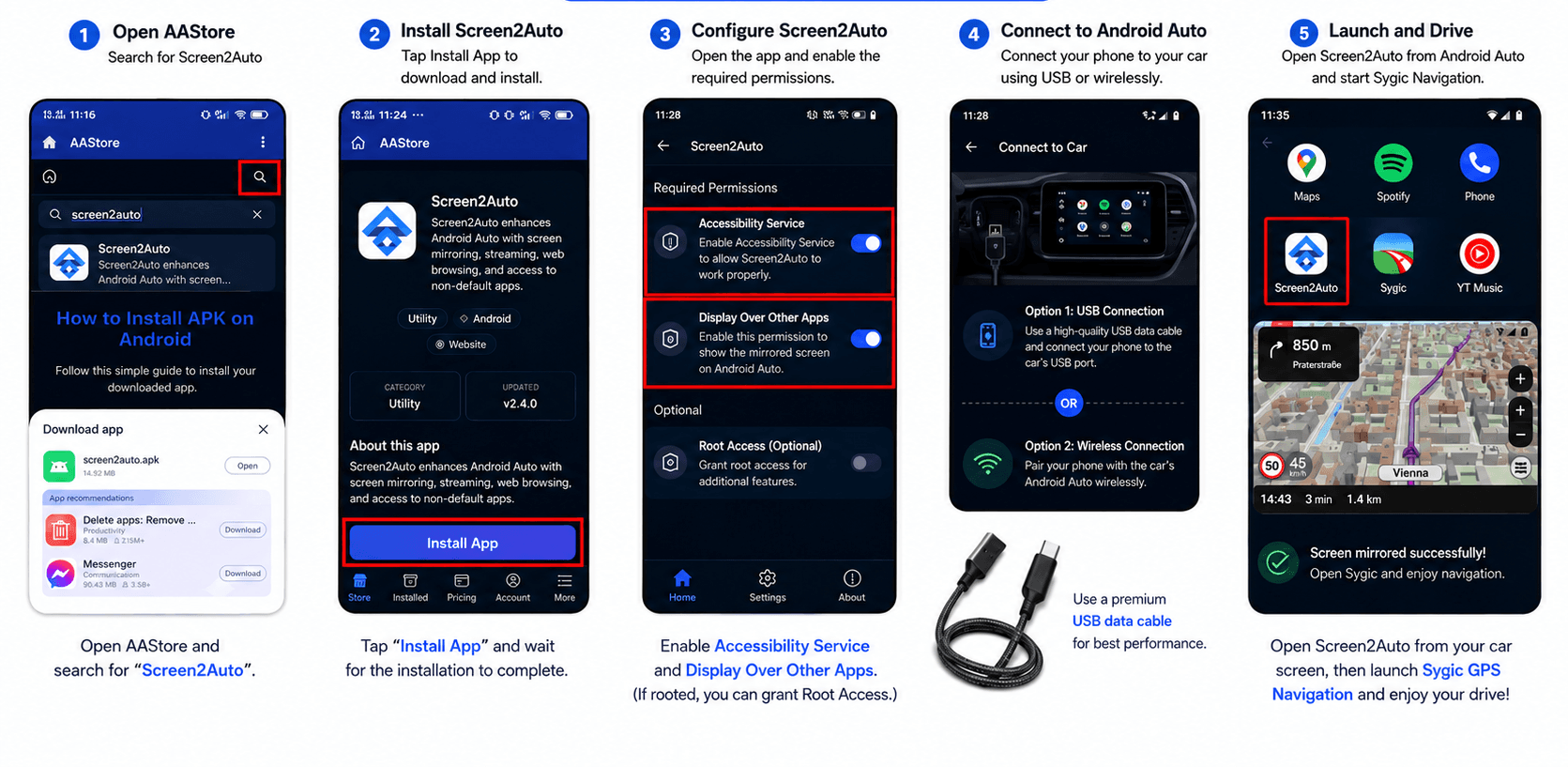
Method 2: Using AAAD
Instead, you just need to download AAAD and get Screen2Auto to try this method.
- Download AAAD APK (Latest Version).
- Install Screen2Auto along with your other preferred Android Auto apps.
- Launch Screen2Auto to start mirroring.
Method 3: Using a Preminum Android Auto AI Box
If you do not want to mess with your phone settings, unlock developer options, or fix system bugs, this is the best path for you. You can use an external hardware device called an Android Auto AI Box.
1. Ottocast OttoAibox P3 Pro
2. CarlinKit TBox Ultra 2
This device is a small smart box that you plug into your car’s USB data port. It turns your dashboard screen into an independent, standalone Android tablet. It does not run from your phone, meaning it completely avoids phone lag, battery drain, and screen crashes while running Sygic.
How to setup and run Sygic with an Ai Box
- Plug and Play: Connect the AI Box to your car’s factory-wired USB port using a high-quality data cable.
- Connect to Internet: Turn on the mobile hotspot on your smartphone and connect the AI Box to it via Wi-Fi.
- Download Sygic: Open the built-in Google Play Store directly on your car screen, search for Sygic, and download it.
- Drive and Enjoy: Open the Sygic mobile layout on your dashboard. You can now use all premium map views and streaming features without paying for expensive car connectivity licenses!
Which Android Auto AI Box Is Best for Running Sygic
If you want the absolute best hardware to run Sygic fluidly along with media streaming (like Netflix and YouTube), here are the top two premium devices available right now:
1. Ottocast OttoAIBox P3 Pro
The Ottocast P3 Pro is a premium 3-in-1 flagship system running on Android 13 with the clean OttoDrive 3.0 interface. It is built for drivers who want a luxury smart experience in their car.
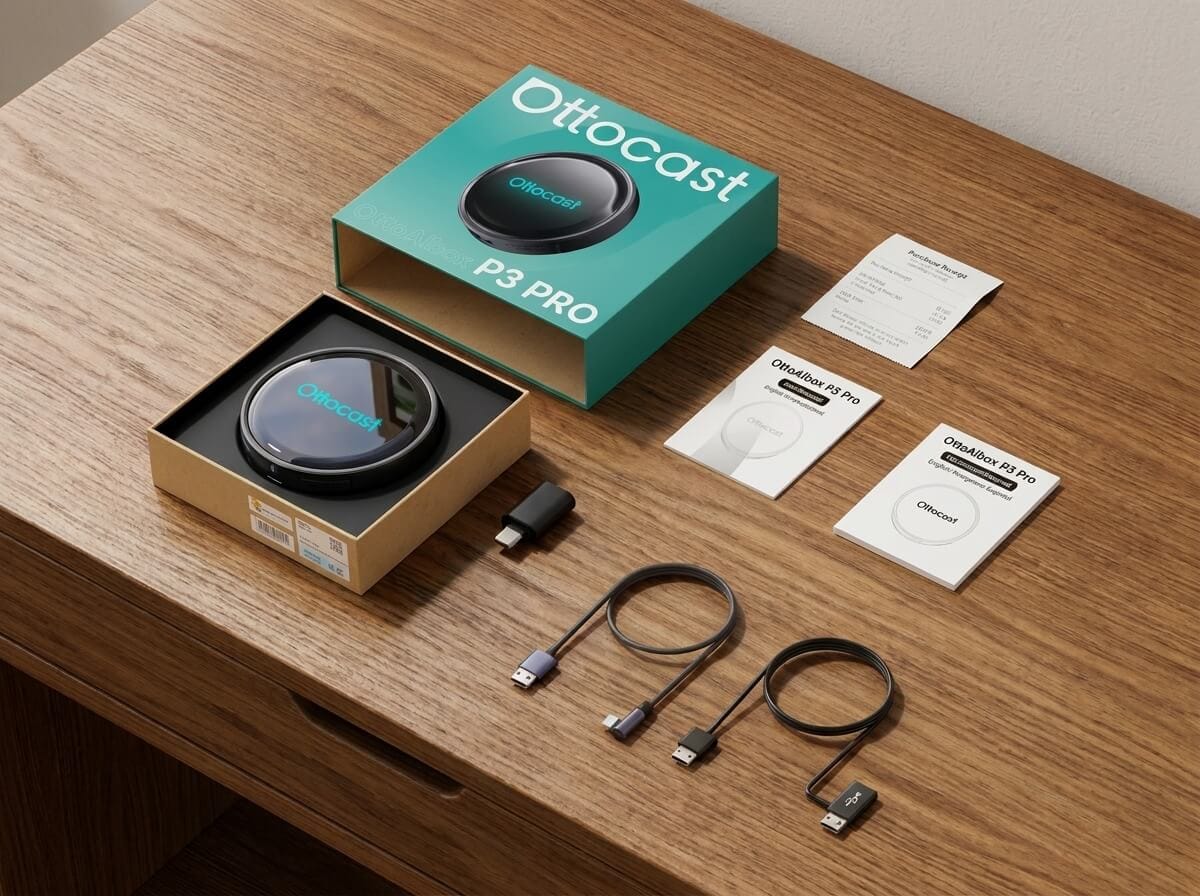
Ottocast OttoAibox P3 Pro
- Fast Performance: It has a powerful Qualcomm chip, 8GB RAM, and 128GB storage. This makes the Sygic app open instantly with zero lag.
- HDMI Screen Sharing: It has an HDMI-out port. You can easily share your map or stream Netflix and YouTube onto back-seat monitors.
- Accurate GPS Tracking: Built-in global satellite tracking keeps your location on the Sygic map highly accurate, even in weak signal areas.
2.CarlinKit TBox Ultra 2
CarlinKit is a globally trusted giant in car connectivity. The TBox Ultra 2 is their latest beast, designed for extreme speed and long-term durability.
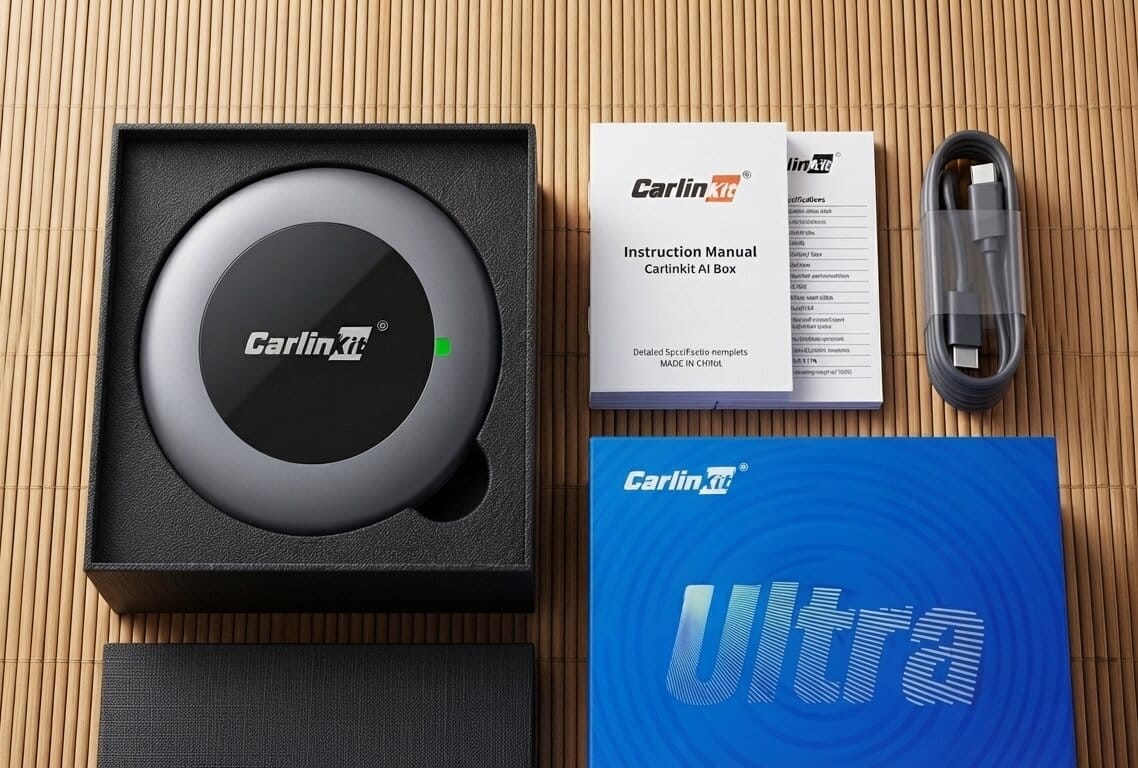
CarlinKit TBox Ultra 2
- The Android 15 Powerhouse: This is one of the first AI Boxes to run on the latest Android 15 OS, powered by a heavy-duty Qualcomm SM6350 8-Core processor. Maps render fast and silky-smooth.
- High-Efficiency Cooling: It features a newly redesigned chassis with an advanced thermal cooling system, meaning it will not overheat and lag inside a hot car.
- 4G LTE & Expandable Memory: It supports a physical SIM card for independent 4G internet and allows you to expand storage up to 512GB via a microSD card perfect for storing offline Sygic maps and giant media files.
Getting Sygic to work perfectly on your dashboard doesn't have to be a headache. If you want software-based solution, installing Screen2Auto via AAStore or AAAD is a great route. Just remember to unlock your Android Auto Developer Settings and disable battery optimization to keep things running smoothly.
Choose the method that works best for you, set it up, and enjoy stress-free navigation on your next trip!
Frequently Asked Questions
Q1: Why is Sygic not showing up on my Android Auto dashboard?
A: Sygic only shows up on Android Auto if you have a paid Premium subscription. If you are using the free version, Google hides the icon from your car screen. If you want to bypass this and use it for free, you will need to use a mirroring tool like Screen2Auto.
Q2: I installed Screen2Auto via AAStore/AAAD, but why doesn't the icon appear in my car's app drawer?
A: Android Auto blocks sideloaded apps by default, so you need to manually enable Unknown Sources inside the Android Auto settings. Here's how:
- Open Settings on your phone, search for Android Auto, and open it.
- Scroll all the way to the bottom and tap "Version and permission info" to expand the details.
- Tap on the Version number 10 times consecutively until a pop-up asks if you want to unlock Developer Settings.
- Tap the three dots in the top-right corner, open Developer Settings, scroll down, and check the box for "Unknown Sources."
- Disconnect and reconnect your phone to the car.
Q3: How do I fix the frustrating Screen2Auto "Black Screen" or "White Dot" bug?
A: A black screen means your phone's battery optimization is killing the video stream in the background. Fix it by unrestricting Screen2Auto's battery settings and confirming overlay/accessibility permissions.
- Go to your phone's Settings > Apps > Screen2Auto.
- Select Battery and change the restriction to "Unrestricted" or "Don't Optimize."
- Ensure that "Display over other apps" (Overlay Permission) and Accessibility Services are fully enabled inside the Screen2Auto app settings.
Q4: Why does Screen2Auto randomly disconnect on newer versions like Android 14 or 15?
A: Newer Android versions run stricter background security checks that can cut the mirroring stream mid-drive. Three fixes reduce this
- Always keep your mirroring app updated to its latest release.
- Go to your phone's Settings > Apps > Android Auto > Storage and select Clear Cache.
- Always use a high-quality, short USB cable (preferably under 3 feet) to prevent micro-interruptions.
Q5: Do I have to root my smartphone to mirror Sygic onto my car display?
A: Yes, Screen2Auto works perfectly fine on non-rooted devices for basic screen mirroring and navigation. However, having a rooted phone unlocks advanced features, such as multi-touch screen feedback and automated resolution switching. If you are non-rooted, you can still use the app safely without losing core functions.
Q6: Is there an easier, plug-and-play option that avoids all these manual settings?
A: Yes. If you don't want to mess with developer options, sideloading apps, or battery settings, you can purchase an external "Android Auto AI Box" wireless dongle. You simply plug it into your vehicle's USB port, and it turns your display into an independent, standalone Android tablet. From there, you can open the built-in Google Play Store and run the phone layout of Sygic directly on your dashboard without any workarounds.
Q: Can I use Sygic GPS Navigation on Android Auto for free?
Yes, Sygic offers basic navigation features on Android Auto for free. However, premium features like offline 3D maps, real-time traffic updates, and speed limit warnings require a Premium+ subscription. If you want to expand your dashboard options beyond standard GPS apps, check out our guide on Screen2Auto vs AA Browse to bring web browsing and full screen mirroring to your car screen.