
How to Install AAAD
The easiest way to install Screen2Auto and other third-party apps on Android Auto.
Android Auto Apps Downloader (AAAD) is a helper utility that lets you download and install third-party apps that are restricted on the Google Play Store for Android Auto.
The AAAD + Screen2Auto connection: AAAD provides an installation gateway for Screen2Auto, allowing you to install the app without rooting your phone.
Open AAAD download pageOpen AAAD on your Android phone
Open the AAAD download page in Chrome, then tap Install App to begin the download.
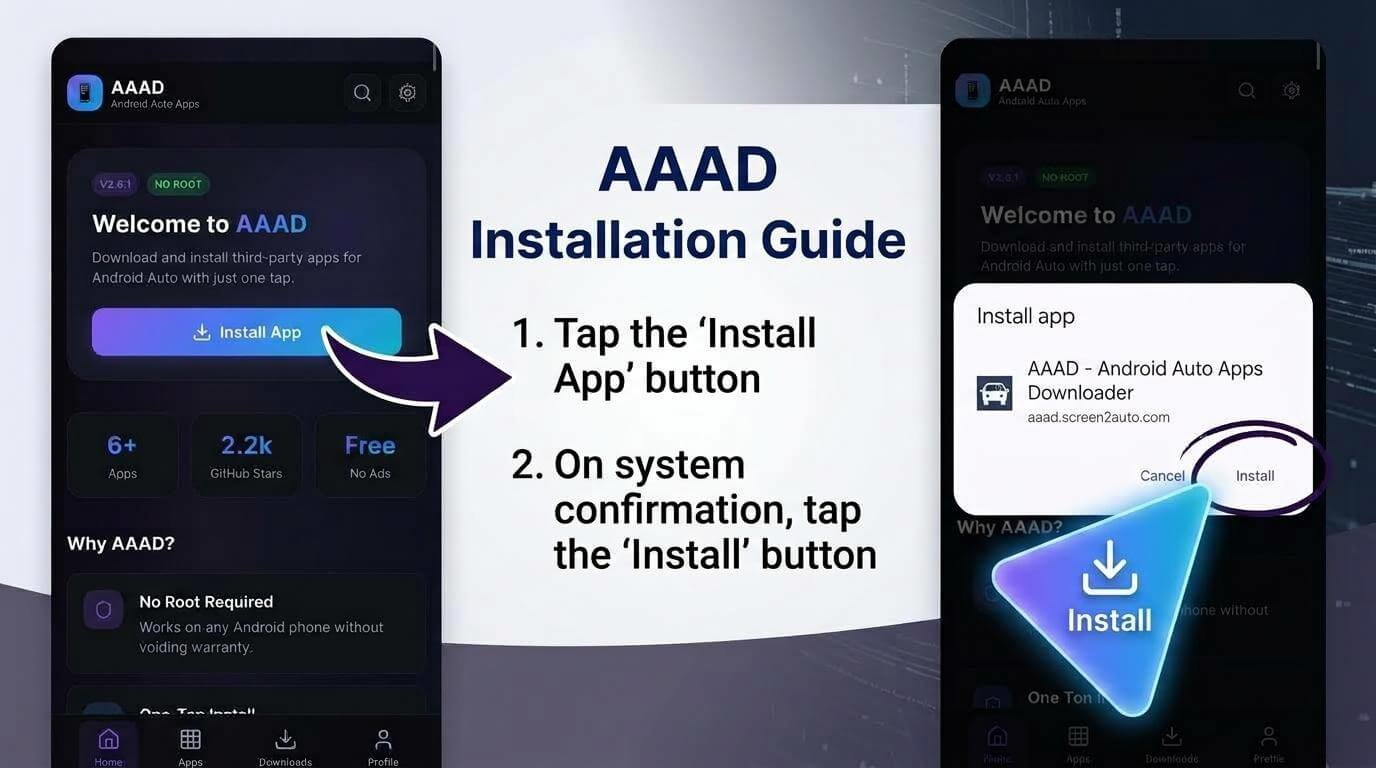
Install the AAAD app
When the AAAD page opens, tap Install App. On the system confirmation dialog, tap Install to add AAAD to your phone.
Open the Apps tab
Tap Apps at the bottom of AAAD. You will now see the apps available to download.
Select Screen2Auto
Tap Screen2Auto to open its details page, then tap Download APK.
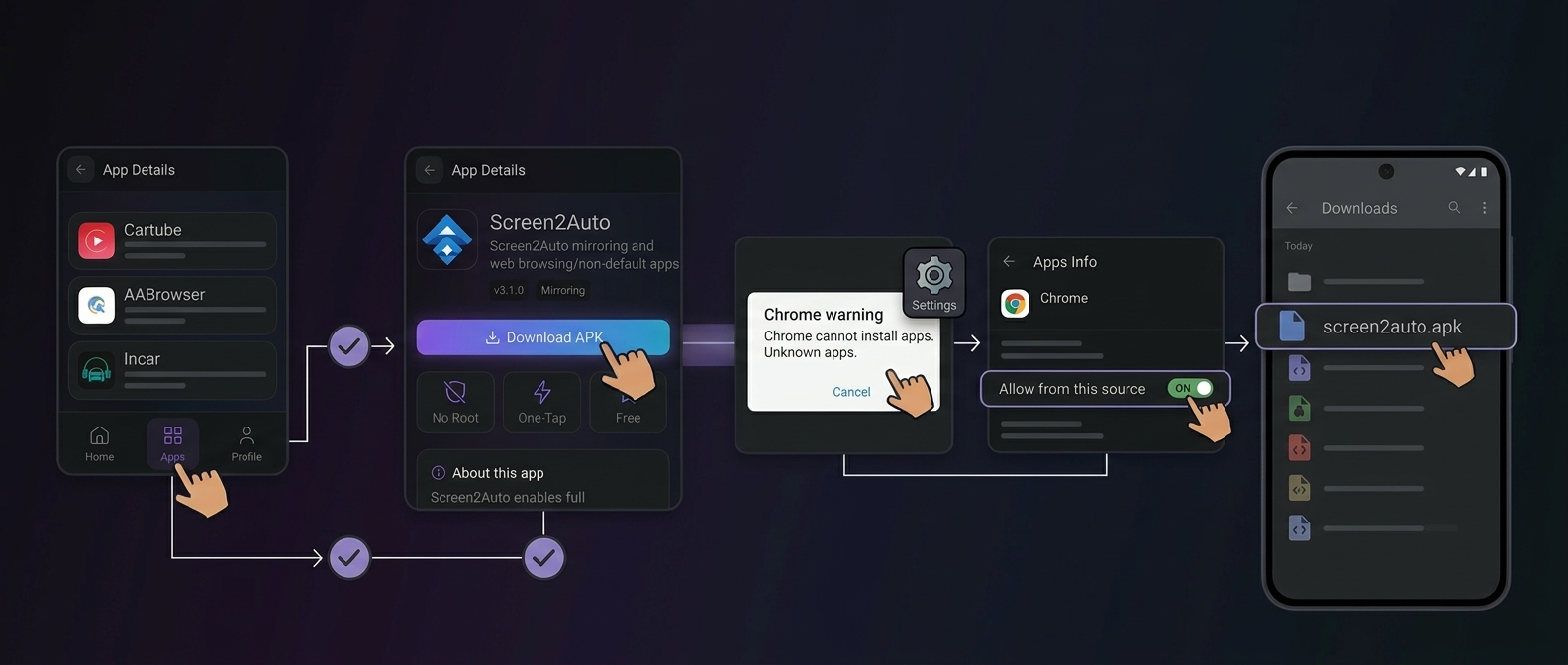
Allow the download and find the APK
If Chrome says your phone is not allowed to install unknown apps, tap Settings and switch on Allow from this source. Tap Download APK again, then open your Downloads folder and select screen2auto.apk.
Install Screen2Auto
When your phone asks Do you want to install this app?, tap Install.
Find Screen2Auto on your home screen
After installation, the Screen2Auto icon appears on your phone.
Open Screen2Auto
Your phone may run a quick security check. Tap Open, then tap the arrow next to To begin on the welcome screen.
Finish setting up Screen2Auto
Switch on the permissions Screen2Auto requests, then allow screen capture when your phone asks. Root access is not needed.
- Display over other applications
- System settings recording
- Disable battery optimization
- Special abilities
- Access to notifications
- Memory access
- Phone permission
- Screen capture
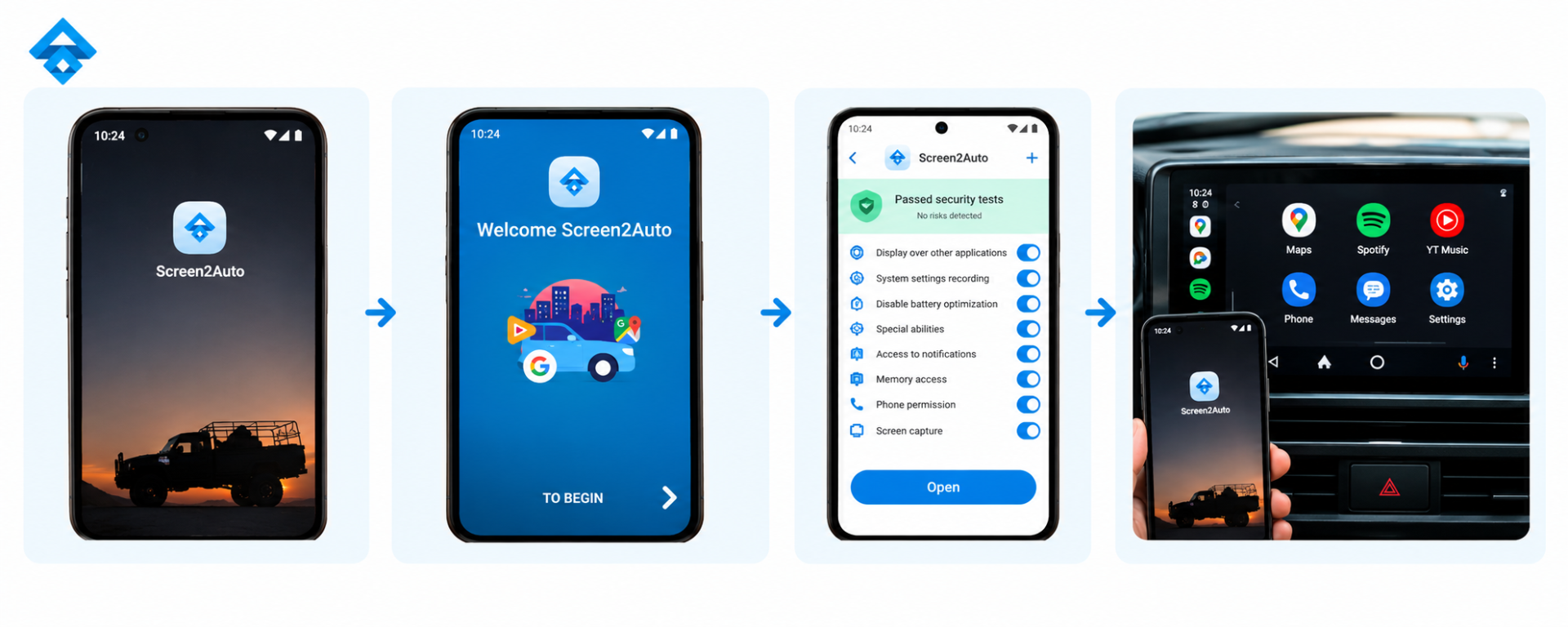
You're ready to mirror. Connect your phone to your car, open Screen2Auto, and your phone screen will appear on the Android Auto display.
AAAD & Screen2Auto FAQ
Does AAAD require root access?
No. AAAD and the core Screen2Auto installation work without root access.
Why does Android block the APK?
Android may block apps installed outside Google Play. Open Settings from the warning and enable Allow from this source for your browser, then retry the download or installation.
Is AAAD safe to download?
Download AAAD only from the official or verified source. Android and Play Protect may warn about unknown sources because the app is not distributed through Google Play.
Only use screen mirroring when parked or for passengers. Do not interact with video content while driving.