Last Updated: July 24, 2026
Android Auto isn't a niche feature at this point. Google reported that over 250 million cars on the road were using it in 2025, up 50 million in roughly a year. That scale is exactly why an issue like Spotify not appearing gets searched so often, and why it's worth fixing properly instead of just switching to FM radio.
This guide walks through setup from scratch, fixes for when the app vanishes, common playback bugs, How to Unlock More Entertainment Apps on Android Auto and tips like Spotify Jam and offline playlists.
How to Set Up Spotify on Android Auto
Setting up the connection is usually straightforward, but ensuring your hardware and software meet 2026 standards prevents future headaches. Here's how to add Spotify to Android Auto from scratch.
What You Need
To successfully connect Spotify to Android Auto, ensure your equipment meets these requirements:
- A Compatible Phone: You need an Android device running Android 6.0 or higher for a wired connection, or Android 11.0 or higher if you want to connect wirelessly.
- Updated Apps: Ensure both the Spotify and Android Auto apps are updated to their latest versions via the Google Play Store.
- The Right Connection: You need a high-quality, data-capable Android Auto USB cable (avoid "charging-only" cables) or a vehicle and phone that support wireless Android Auto via 5GHz Wi-Fi and Bluetooth.
Step-by-Step first Connection
- Prepare Your Phone: Download and log into Spotify on your phone while it is disconnected from the car to ensure the account is active.
- Enable Permissions: Go to your phone's settings and ensure Android Auto has access to Location, Microphone, Contacts, and Notifications.
- The Handshake: Connect your phone to the car's USB port marked with a smartphone or data icon. If your car supports wireless mode, pair via Bluetooth first and follow the on-screen prompts to enable the wireless link.
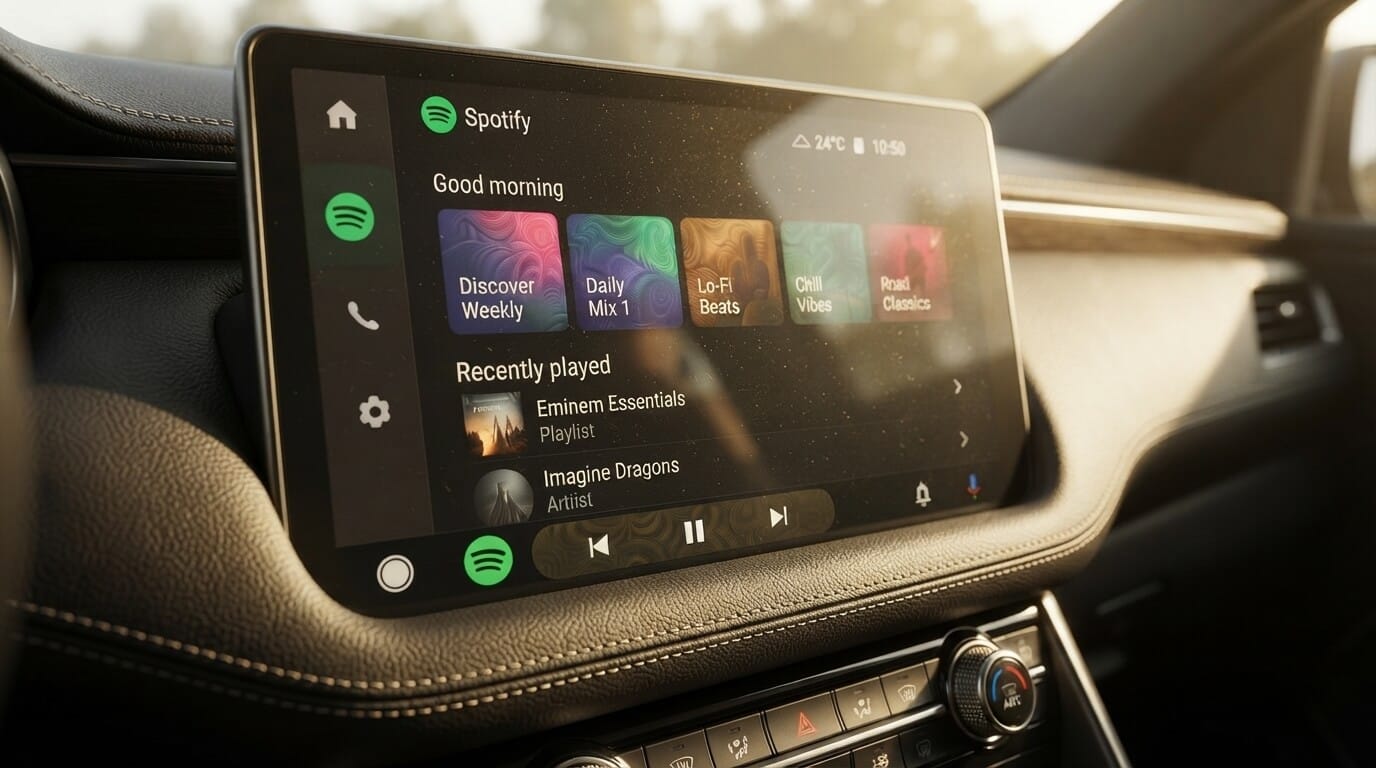
- Launch the App: Select the Android Auto icon on your car's display, then find the Spotify icon in the app launcher.
Why Isn't Spotify Showing Up or Working on Android Auto (Fixes)
If Spotify is not showing up on Android Auto after you have connected, the issue is often a hidden security setting or a data "clog" in the app's cache.
Clear Cache and Force-Stop
A primary troubleshooting step is to clear temporary data. Navigate to Settings > Apps > Spotify > Storage and tap Clear Cache. It is also highly recommended to do the same for the Android Auto app and Google Play Services to reset the handshake between the devices.
Enable Developer Mode and Unknown Sources
Sometimes Google's security filters hide valid apps. To bypass this, you can unlock the car's hidden potential:
- Open Android Auto settings on your phone.
- Scroll to the "Version" section at the bottom and tap it 10 times until you are prompted to enable Developer Mode.
- Tap the three dots in the top-right corner, enter Developer Settings, and toggle on "Unknown Sources".
- Return to the Customize Launcher menu and ensure Spotify has a checkmark next to it.
Fix Battery Optimization and Autostart
Aggressive battery saving can kill the app in the background. In your phone's settings, go to Apps > Spotify > Battery and select "Unrestricted". This prevents the system from "sleeping" Spotify while it is trying to stream to your car.
Why Does Spotify Have No Sound or Freeze on Android Auto
User reports have identified several common handshake errors that occur even when the app is visible on the screen. Worth noting: in a test on a Google Pixel 8 (Android 15) paired with a Honda Civic's factory Android Auto system over a wired connection, none of these bugs showed up. Spotify launched within seconds, playback and track changes worked cleanly, and the app stopped properly when the phone was disconnected. That suggests a clean cable and an updated phone go a long way, and the issues below tend to show up on specific phone/cable/cache combinations rather than universally.
No Audio on Connect
If a song appears to be playing but there is no sound, check that your phone's Media Volume is turned up. This is independent of the car's volume knob. Additionally, ensure "Media Audio" is toggled "on" within your Bluetooth settings for the Android Auto connection.
"Now Playing" Screen Not Updating
If the dashboard is stuck on the previous song's artwork, open Spotify's settings on your phone, select Playback, and ensure "Device Broadcast Status" is enabled. This allows Spotify to continuously send track data to the car's interface.
Spotify Keeps Playing After You Leave the Car
This bug happens when the app doesn't realize the car session has ended. A reliable fix is to open Spotify on your phone before disconnecting, tap the Devices icon, and manually select "This Phone" to reset the playback intent.
What Are the Best Spotify Tips for Android Auto
Once your Spotify Android Auto connection is stable, you can use these features to improve your drive.
- Spotify Jam in the Car: Perfect for passengers, the Jam feature allows everyone in the vehicle to scan a QR code on the "Now Playing" screen to join a shared queue. While the host needs Spotify Premium, free users can join and add tracks without passing a phone around.
- Mastering Voice Control: With the 2026 migration to the Gemini AI engine, standard commands can sometimes fail. The most reliable way to get a response is to use a specific suffix: "Hey Google, play [Artist] on Spotify".
- Offline Playlists for Dead Zones: To avoid silence in areas with poor signal, use the "Downloaded" section now prominently featured in the Spotify library. Downloaded tracks are marked with a clear visual indicator, making them easy to find when your data connection drops.
- Better Audio Quality: For the best sound, experts recommend disabling "Volume Normalization" in Spotify's settings. This prevents the app from compressing tracks, which can often lead to distortion in high-end car audio systems.
How to Unlock More Entertainment Apps on Android Auto
Once Spotify is running smoothly, you might still hit a wall with other apps. Android Auto officially supports only a limited list of entertainment apps, so things like YouTube or Netflix for passengers aren't available out of the box.
This is where AAStore comes in. If you're on Android 15 or newer, AAStore offers AABrowser, which lets you browse the web, watch videos, and access online content directly on your car's dashboard screen.
Below that, AAStore also gives you access to Screen2Auto, along with Fermata Auto, CarTube, and CarStream, Now you can watch YouTube on Android Auto or watch Netflix on Android Auto without rooting your device.
You can get AAStore directly or use the AAAD installer at for a more automated setup.If you're unsure which tool suits your needs best, check out our detailed Screen2Auto vs AA Browse comparison guide to explore the key differences in display mirroring, battery efficiency, and privacy.
Below that, AAStore also gives you access to Screen2Auto, along with Fermata Auto, CarTube, and CarStream...
Android Auto with Alternative Hardware Solutions
If cache clearing and cable swaps still don't get Spotify, or anything else, working reliably, the issue might be your head unit itself rather than your phone. A hardware AI box can bypass software-side compatibility problems entirely by running its own Android system.
Ottocast P3 Pro 8GB+128GB AI Box
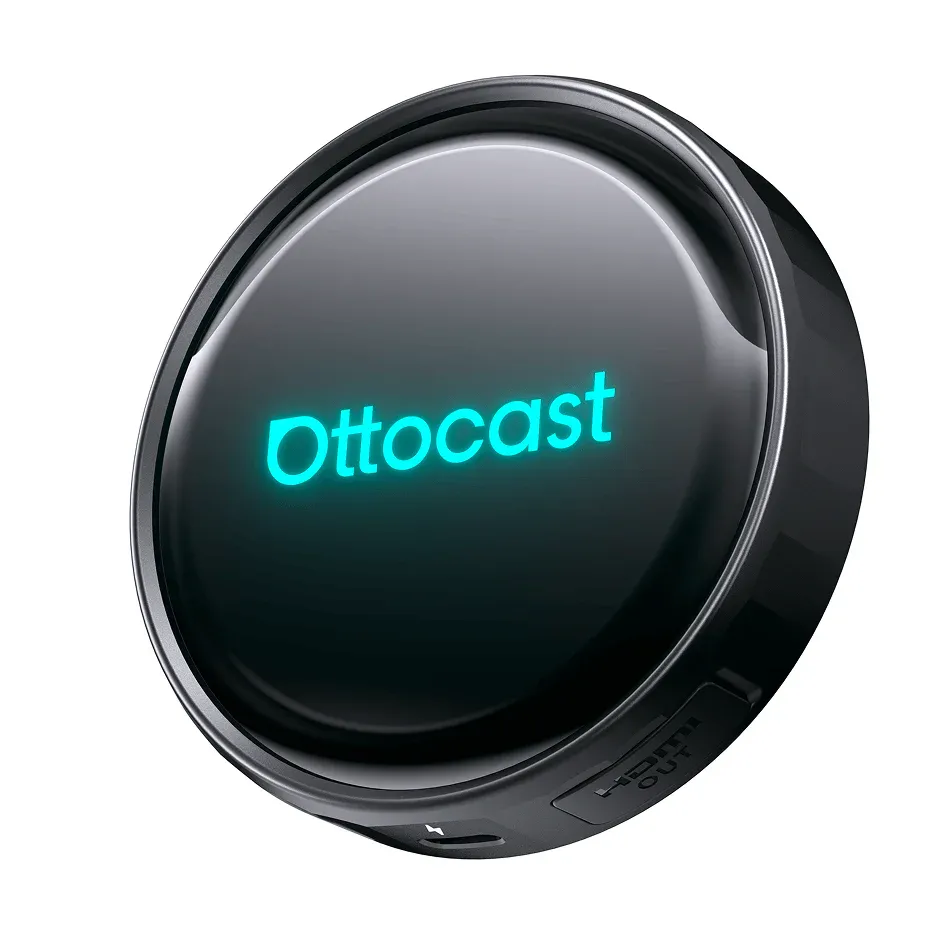
Runs a Snapdragon SM6225 processor with 8GB RAM and 128GB storage on Android 13, and supports wireless Android Auto with built-in Netflix and YouTube streaming through HDMI output.
MMB Wireless CarPlay and Android Auto AI Box
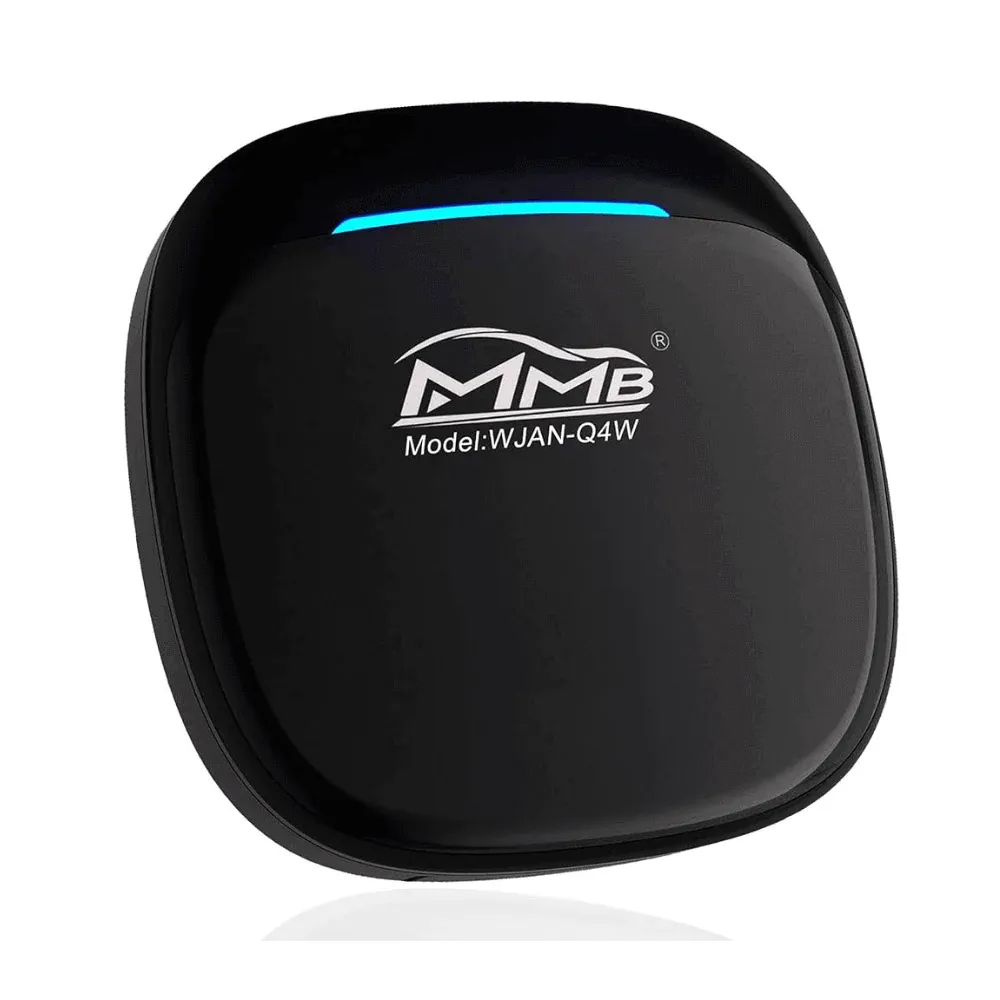
Offers similar specs, Snapdragon QCM6225, 8GB RAM, 128GB storage, and Android 13, with wireless Android Auto support and access to YouTube and Netflix as well.
Frequently Asked Questions About Spotify on Android Auto
Is Spotify free to use on Android Auto?
Yes, Spotify is officially available for both free and Premium users, though free users will hear advertisements between songs.
Why does Spotify keep disconnecting from Android Auto?
This is most commonly caused by a poor-quality USB cable or a port that only supports charging rather than data transfer.
Can I use Spotify offline on Android Auto?
Yes, provided you have downloaded the playlists or albums to your device beforehand. These will appear in the "Downloaded" section of your library.
Does Spotify Jam work on Android Auto?
Yes, a 2025 update added Jam support, allowing passengers to join the session via a QR code on the car's display.
Why does my phone still show "Android Auto" as the playback device after I leave the car?
This occurs when the "Car" session intent is not properly cleared. Manually switching the playback device to "This Phone" in the Spotify app before disconnecting usually resolves this.
Conclusion
While Spotify Android Auto is a fantastic driving companion, it requires occasional maintenance of its cache, permissions, and battery settings to stay functional. If the native app continues to fail, remember that AAStore and Screen2Auto offer a reliable alternative path to keep your music playing.
For more tips on optimizing your in-car experience, check out our guides on WhatsApp for Android Auto, YouTube for Android Auto, or our deep dive into Netflix for Android Auto for parked entertainment. If you are new to the platform, you can find the AAStore installer directly at aastore.screen2auto.com.