Last updated: October 9, 2026
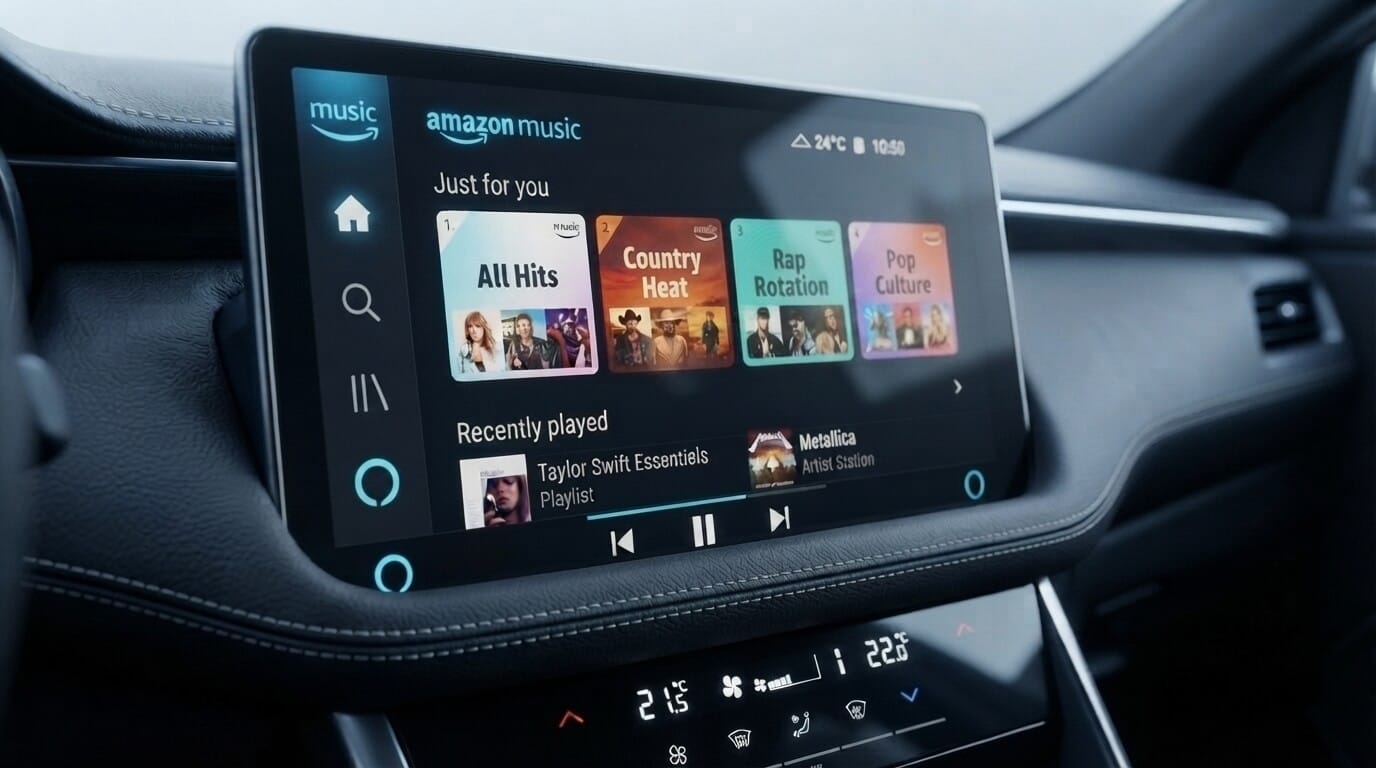
Amazon Music on Android Auto allows you to stream your entire library, including Prime and Unlimited tracks, directly through your vehicle's dashboard. To use it, ensure the Amazon Music app is installed and signed in on your phone, then connect your device to a compatible car head unit using a USB cable or a wireless adapter.
Want to watch YouTube or Netflix in the car too? Jump to how to unlock more entertainment apps on Android Auto.
How Amazon Music Works with Android Auto
Amazon Music is officially supported on Android Auto and works with all major subscription tiers: Amazon Music Free, Prime Music, Unlimited, and HD. The system creates a driver-safe interface on your car's display that allows you to browse playlists, play downloaded music, and control playback using large, easy-to-tap buttons or steering wheel controls.
You do not need to download a separate "car version" of the app; Android Auto automatically detects the Amazon Music app already on your phone. Once connected, your playlists, recently played tracks, and library are synced for immediate access.
How to Add Amazon Music to Android Auto
Setting up Amazon Music for your car is generally straightforward, but it requires a few specific configuration steps on your smartphone.
Step-by-Step Setup
- Update Your Apps: Ensure both Amazon Music and the Android Auto app are updated to the latest versions via the Google Play Store to prevent compatibility issues.
- Configure the Launcher: On your phone, open Android Auto Settings and select "Customize launcher". Ensure the checkbox next to Amazon Music is enabled so it appears on your car's screen.
- Establish a Connection: Connect your phone to the car's USB port using a high-quality data cable. For a wireless experience, use an adapter like the AAWireless TWO.
- Launch the App: Once the Android Auto home screen loads on your car display, tap the Music icon and select Amazon Music from the list.
- Select Your Music: Browse your recently played, downloaded albums, or playlists and begin playback.
Pro Tip: If Amazon Music isn't appearing as an app option even after these steps, you can use a specialized tool to manage your vehicle-centric apps. AAStore is the primary recommended tool for managing dashboard integrations, with AAAD serving as a reliable secondary option.
Why Isn't Amazon Music Showing Up in Android Auto?
It is a common frustration when the app is on your phone but missing from the car screen. This "invisible icon" issue usually stems from a few specific causes.
Common Causes for Missing Icons
- Disabled in Launcher: The most frequent cause is that the app is simply unchecked in the Android Auto "Customize launcher" settings.
- App Permissions: If you haven't granted Amazon Music access to Notifications, Storage, or Background Activity, it may be blocked from starting.
- Battery Optimization: Aggressive battery management on some Android phones can put the app into a "deep sleep," preventing it from connecting to your car.
- Handshake Errors: Older versions of the Android OS or the Amazon Music app can cause a failure in the initial connection handshake.
If standard troubleshooting fails to make the app appear, using AAStore to manage your dashboard apps can often bypass these native launcher restrictions.
Fixing Amazon Music Not Working on Android Auto
If the app icon is visible but you encounter crashes, empty playlists, or no sound, follow these community-vetted fixes.
1. Update to Version 26.9.0 (Verified Fix)
Despite some confusion, Amazon Staff have officially confirmed that technicians resolved widespread Android Auto playlist and playback issues in Amazon Music version 26.9.0. If you are experiencing trouble, manually check your app version in the Google Play Store and update immediately.
2. Disable "Car Mode" Sync Issues
Users have identified a bug where the internal "Car Mode" of the Amazon Music app conflicts with the Android Auto API, leading to missing tracks in playlists. To fix this, open the app on your phone, go to Settings, and toggle "Start car mode automatically" to OFF.
3. Clear App Caches
Corrupted temporary files can cause the app to hang. Go to Settings > Apps > Amazon Music > Storage and select "Clear Cache". Repeat this for the Android Auto app as well.
4. Enable High Background Power
Ensure your phone isn't killing the app process by setting Amazon Music to "Unrestricted" or enabling "High background power consumption" in your phone's battery settings.
5. Fix Low Volume Issues
If the sound is quieter than other apps, go to Settings > Streaming Audio Quality and select "Best Quality". You can also use the Equalizer (EQ) settings under the Playback menu to boost frequencies like bass or vocals for your car's sound profile.
How We Tested Amazon Music on Android Auto
Test Environment and Conditions
- Device: Samsung Galaxy S24
- Software Versions: Amazon Music v24.x, Android Auto v17.3
- Connection Method: Wired connection (certified USB-C cable)
- Test Conditions: Heavy city traffic, switching between strong 5G signal and intermittent tunnel connectivity
1. The Setup
I plugged my phone into the car's USB port to test the stability of a wired connection. Android Auto loaded immediately on the infotainment screen. I ensured Amazon Music was enabled in the "Customize Launcher" settings within the Android Auto app on my phone so the icon appeared on the dashboard.
2. Interface and Driving Experience
While driving, the UI needs to be distraction-free.
- The Good: The interface is clean. The media playback buttons (Play/Pause/Skip) are large and easy to hit without looking away from the road for too long. Steering wheel controls responded instantly.
- The Bad: Navigation within the app is a bit limited. There is no "Recently Played" shortcut on the main dash view. I also noticed that with very large playlists, the app sometimes struggles to load the full list, likely due to a sync delay between the phone and the car's head unit.
3. Hands-Free Testing: Voice Commands
I tested the Google Assistant integration while in traffic to keep my hands on the wheel.
Basic commands like "Hey Google, play Amazon Music" or "Next song" worked perfectly. However, the system sometimes struggled with specific artist names or niche playlist titles, occasionally defaulting to playing random similar tracks instead of what I requested. It doesn't feel quite as snappy as YouTube Music integration.
4. Sound Quality and Offline Mode
The audio quality remained crisp and stable through the car speakers.
To see how it handled signal loss, I drove through a tunnel where I had zero mobile data. The app handled this flawlessly. Because I had pre-downloaded my music for offline listening, the transition was seamless, and there was no buffering or disconnection during the entire tunnel stretch.
5. Final Verdict from the Driver's Seat
Amazon Music is very reliable for daily driving, provided you aren't doing heavy browsing while moving. It delivers great sound and stable offline playback. My top tip: to avoid the large-playlist loading bug, pick your playlist on your phone before you start your engine. For everything else, the voice commands get the job done.
Using Voice Commands with Amazon Music on Android Auto
Hands-free control via Google Assistant is the safest way to manage your music.
Practical Voice Command Examples
- "Play [Artist Name] on Amazon Music"
- "Play my [Playlist Name] playlist"
- "Shuffle my music"
- "Skip this song" or "Pause music"
Note on Gemini and Alexa:
Some users report that the Gemini assistant currently struggles with Amazon Music commands compared to the classic assistant. If commands fail, try switching your phone's default assistant back to Google Assistant in the "Digital Assistant App" settings. Alternatively, some users have found success by setting Amazon Alexa as their default virtual assistant on their phone.
Amazon Music Unlimited vs. Prime Music on Android Auto
Your subscription tier impacts how much control you have over specific tracks while driving.
| Feature | Amazon Prime Music | Amazon Music Unlimited |
|---|---|---|
| Android Auto Support | Yes | Yes |
| On-Demand Playback | Limited to All-Access Playlists | Full access to all 100M+ songs |
| Offline Downloads | All-Access Playlists only | Any song, album, or playlist |
| Audio Quality | Standard | HD, Ultra HD, and Spatial Audio |
How to Unlock More Entertainment Apps on Android Auto
Once Amazon Music is running smoothly, you might still hit a wall with other apps. Android Auto officially supports only a limited list of entertainment apps, so things like YouTube and Netflix for passengers aren't available out of the box.
This is where AAStore comes in. If you want to watch YouTube or Netflix on Android Auto, install AABrowser through AAStore. AABrowser lets you browse the web, watch videos, and access online content directly on your car's dashboard screen.
Compatibility depends on your Android version. AABrowser works across all Android versions. Screen2Auto and CarTube, however, are not supported on Android 15 and above, so those apps are only available if you're running an older version. Always check your Android version before installing.
| Android Version | AABrowser | Screen2Auto | CarTube |
|---|---|---|---|
| Below Android 15 | Supported | Supported | Supported |
| Android 15 and above | Supported | Not supported | Not supported |
AAStore also gives you access to Fermata Auto and CarStream for additional entertainment options. Once set up, you can watch YouTube on Android Auto or watch Netflix on Android Auto without rooting your device.
Safety note: Video content should only be watched when the vehicle is safely parked, never while driving. Most video-capable apps, including AABrowser, are intended for passenger use or parked viewing. Always follow your local laws regarding screen use while operating a vehicle.
You can get Screen2auto AAStore directly or use the AAAD installer for a more automated setup.
Frequently Asked Questions
- Can I use Amazon Music playlists on Android Auto?
Yes. You can browse and launch your created or followed playlists directly from the "Playlists" section on your car's screen. - Why does Amazon Music keep disconnecting from Android Auto?
This is often caused by an unstable network, aggressive battery optimization, or a faulty USB cable. - Does Amazon Music work with Android Auto voice commands?
Yes, via Google Assistant. Ensure Amazon Music is linked as your default music provider in the Google Assistant settings for the best reliability. - How do I listen to Amazon Music offline in the car?
Download your playlists while on Wi-Fi. In the app settings, select "Play downloads first" to ensure the system prioritizes files already on your device. - Can I watch videos using Amazon Music?
No, official media apps like Amazon Music block video playback for safety reasons. For video content while parked, many users use Fermata Auto alongside their music apps. - Why does Amazon Music play random songs instead of my selected playlist?
This is often caused by the "Autoplay" feature in the app settings. When Amazon Music fails to authenticate your subscription immediately upon connecting to the car, it can default to playing similar tracks based on your listening history. Go to Amazon Music Settings > Autoplay/Similar Songs and toggle it off. Launching a song on your phone before connecting to your vehicle can also help the app recognize your subscription status faster. - Why don't all my playlists appear on my car screen?
Android Auto limits how many items it displays to reduce driver distraction, so very large playlists (500+ songs) may time out or get truncated. Try creating smaller, more focused playlists under 100 songs. Many users report these leaner playlists load faster and more reliably on the car dashboard than one massive library. - Is it better to use Prime Music or Unlimited for Android Auto?
Both work, but the in-car experience differs. Some users report that Prime Music's shuffle-play tendency can carry over into Android Auto even when requesting a specific track. Amazon Music Unlimited generally provides more consistent, on-demand playback control for specific songs. - Why does the Amazon Music icon disappear from my Android Auto launcher?
This is rarely an app problem and is usually a launcher setting. Go to Settings > Connected Devices > Android Auto > Customize Launcher and confirm the checkbox next to Amazon Music is checked. If it's checked but still missing, uncheck it, restart your phone, then check it again. - Can I use voice commands if Gemini is my default assistant?
Some users report compatibility issues between the newer Gemini assistant and Android Auto's voice command handling. If commands consistently fail with errors like "I can't do that" or "I don't see Amazon Music," try switching your Digital Assistant back to the classic Google Assistant to see if functionality returns. - Why is there no sound from Amazon Music even though it shows as playing?
This “playing but silent” problem usually comes from a failed audio handoff between your phone and the head unit, or from your phone’s battery manager pausing the audio stream. Turn up the volume with your car’s own controls first, then raise the media volume on your phone while it is connected. Next, open your phone’s battery settings, find Amazon Music, and set background usage to Unrestricted so Android does not freeze the stream while you drive. If you are on a weak signal, go to Amazon Music Settings > Streaming Audio Quality and choose a lower setting so the stream can buffer. If the silence continues, unplug, restart your phone and reconnect with a certified data cable. - Does playing downloaded music or podcasts on Amazon Music use mobile data over Android Auto?
No. Downloaded tracks and podcast episodes play from your phone’s storage, so playback itself uses no mobile data. Download your music over Wi-Fi before you drive. To keep the app from streaming anything, open Amazon Music on your phone, go to Settings and turn on Offline Music Mode. Without it, the app may still use small amounts of data for artwork, lyrics and recommendations while connected to your car. - Does Screen2Auto work with Amazon Music on Android Auto in Saudi Arabia, the UAE, Qatar, the US and Brazil?
Yes, with one condition. Amazon Music is officially supported on Android Auto, so in most cases you only need to enable it under Customize launcher. Screen2Auto is useful when you want to mirror the full phone app on your car display, and because it installs through AAStore rather than the Play Store, regional store restrictions do not apply. It works on Android versions below 15 without root access. On Android 15 and above, install AABrowser through AAStore instead. You can also install using AAAD. - Why is there no sound from Amazon Music even though it shows as playing?
This “playing but silent” problem usually comes from a failed audio handoff between your phone and the head unit, or from your phone’s battery manager pausing the audio stream. Turn up the volume with your car’s own controls first, then raise the media volume on your phone while it is connected. Next, open your phone’s battery settings, find Amazon Music, and set background usage to Unrestricted so Android does not freeze the stream while you drive. If you are on a weak signal, go to Amazon Music Settings > Streaming Audio Quality and choose a lower setting so the stream can buffer. If the silence continues, unplug, restart your phone and reconnect with a certified data cable.
Related Guides: