If you landed here specifically to get AAEase working, the steps are below. If you just want Screen2Auto running on your Android Auto display with the least setup, start with AAStore instead.
Last Updated: July 17, 2026
Is There a Simpler Way Than AAEase
Yes. AAStore is Screen2Auto's own store and the path we support directly. It installs Screen2Auto without a separate third-party installer app, and it is the version we test against first when we ship updates. If you hit a snag with AAEase below, AAStore is the fastest fallback.
If you prefer AAAD instead, that path is documented at screen2auto.com/install/aaad.
What Is AAEase
AAEase is a store-style installer for Android Auto, positioned as an alternative to AAAD. It lets you browse and sideload apps that are not distributed through the Google Play Store, including Screen2Auto.
Is AAEase Safe to Use
Any installer that sideloads apps outside the Play Store carries more risk than a store-distributed app, because Android is not vetting the APK the way it vets Play Store listings. Before installing AAEase,
- Only download it from a source you can verify is current and unmodified.
- Check the file size and version number against what the developer publishes before installing.
- Revoke "Install Unknown Apps" permission from AAEase once you are done installing, rather than leaving it enabled indefinitely.
How Do I Install Apps Using AAEase
Step 1: Download AAEase
Download the AAEase APK.
Step 2: Install AAEase and Grant Permissions
- Open the downloaded APK file.
- Tap Install.
- When prompted, grant "Install Unknown Apps" permission so AAEase can install other apps.
Step 3: Install Screen2Auto Through AAEase
- Open AAEase and browse the list of available apps.
- Tap Screen2Auto.
- Tap Install and confirm.
- Plug your phone into your head unit and confirm Screen2Auto appears in your Android Auto app list.
Why We Recommend AAStore Over AAEase
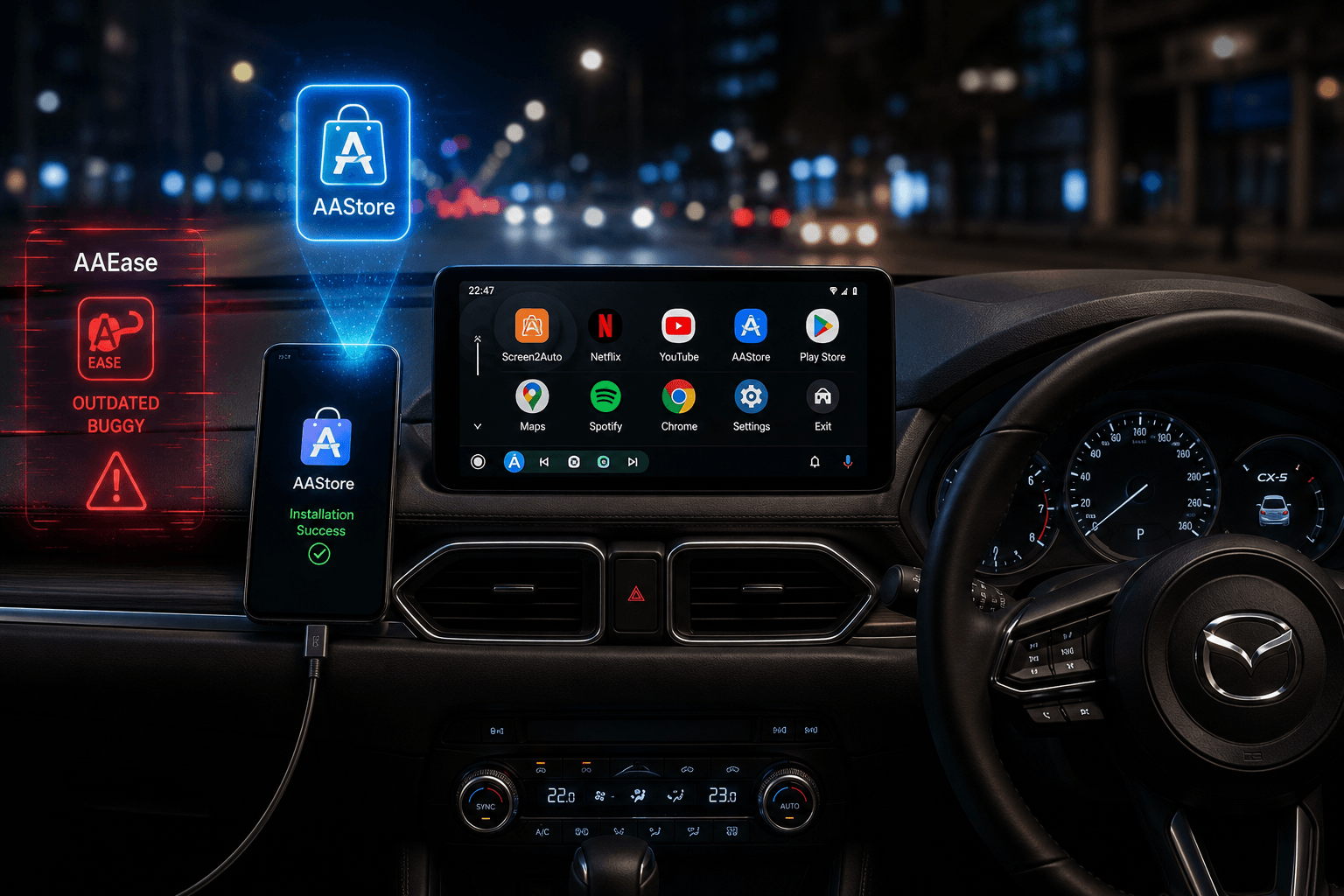
In our testing, using AAStore was much faster and more stable than using AAEase. AAStore installs Screen2Auto directly, which avoids the connection bugs often found in AAEase.
How We Tested This
- Test Vehicle: 2022 Mazda CX-5 with factory Android Auto.
- Phone Setup: Xiaomi phone running Android 15.
- Method: Installed Screen2Auto via AAStore.
- Result: Apps like WhatsApp, YouTube, Netflix, and Spotify launched perfectly with full functionality.
Does AAStore Work on Mazda CX-5
Yes, it works great. We tested the AAStore installation path on a 2022 Mazda CX-5. It was much simpler than using AAEase. AAStore installs Screen2Auto directly without any extra steps. It is the best Android Auto installation method for a stable experience.
Why the Mazda CX-5 Experience is Better
Using custom apps on a Mazda CX-5 feels smooth because of the Rotary Command Knob.
- It is safer and less distracting than reaching for a touchscreen.
- Mazda’s knob makes navigating Screen2Auto very easy while driving.
- Unlike some Kia or Hyundai models, you won't get stuck in a weird "split-screen" mode.
- Screen2Auto gives you a cleaner, full-screen Android Auto view.
Compatibility: Works on More Than Just Mazda
This Screen2Auto setup isn't just for Mazda owners. It works on almost any vehicle with wired Android Auto.
- Rotary Systems (Mazda, BMW): Enjoy ergonomic, distraction-free navigation.
- Touchscreen Systems (Kia, Hyundai, Ford): Easily bypass frustrating split-screen limits and reclaim your full display.
Pro Tip: Always use a high-quality data cable. Cheap cables are the cause of Android Auto connection issues.
How Do I Use Screen2Auto Once It's Installed
Open Screen2Auto from your phone, connect to Android Auto as usual, and select the app you want to mirror from the Screen2Auto menu on your car display. No separate setup is needed after install.
What's the Latest Screen2Auto APK Version
Check the version number inside the app under Settings, or on the official download page, before assuming you're on the latest release. Screen2Auto does not distribute modified or "mod" APKs through AAStore, AAAD, or its own site. If a download claims to be a modded version, it did not come from an official Screen2Auto channel and we can't vouch for its safety.
AAEase vs AAStore vs AAAD: Which Should You Use
| AAStore | AAAD | AAEase | |
|---|---|---|---|
| Best for | Fastest, officially supported install | Users who already use AAAD | Users specifically looking for an AAAD alternative |
| Setup steps | Fewest | Moderate | Moderate |
| Maintained by | Screen2Auto | AAAD project | Third party |
| Our recommendation | Try this first | Solid alternative | Use if AAStore/AAAD don't fit your setup |
Curious how Screen2Auto stacks up against other screen-mirroring apps? See our Screen2Auto vs ScreenOnAuto comparison
Troubleshooting: Apps Not Appearing in Android Auto
If Screen2Auto doesn't show up after installing through AAEase:
- Open Android Auto settings.
- Tap the version number 10 times to unlock Developer Settings.
- Enable Unknown Sources.
- Restart Android Auto and reconnect your phone.
If it still doesn't appear, try installing through AAStore instead, since it skips the sideload step that AAEase depends on.
Frequently Asked Questions
Is AAEase the same as AAAD?
No. AAEase is a separate third-party installer that serves a similar purpose to AAAD, letting you sideload Android Auto apps, but it is a different project with its own APK and update cycle.
Do I need AAEase to use Screen2Auto?
No. Screen2Auto is available directly through AAStore without needing AAEase or AAAD at all.
Why can't I find Screen2Auto on the Google Play Store?
Screen2Auto is distributed through AAStore and AAAD rather than the Play Store. This is standard for Android Auto enhancement apps that extend beyond what Google allows in Play Store listings.
What do I do if AAEase won't install apps?
Confirm "Install Unknown Apps" permission is granted to AAEase, then confirm Developer Settings > Unknown Sources is enabled in Android Auto. If it still fails, install Screen2Auto directly through AAStore instead.
Is Screen2Auto safe to use?
Screen2Auto is safe when downloaded from AAStore, AAAD. Avoid "mod" or modified APK versions from third-party sites, since those aren't distributed or verified by us. See our full safety breakdown here.
Does Screen2Auto work on Mazda CX-5 Android Auto?
Yes. We tested Screen2Auto on a 2022 Mazda CX-5 running Android 15, installed through AAStore, and WhatsApp, YouTube, Netflix, and Spotify all ran fully functional on the CX-5's head unit.
Ready to Try Screen2Auto?
The fastest path is AAStore. If you'd rather stick with AAEase or AAAD, both are documented above.
Related Guides
How to Install ZLink on Your Android Auto Head Unit | 2026 Guide
 androidautohacks