
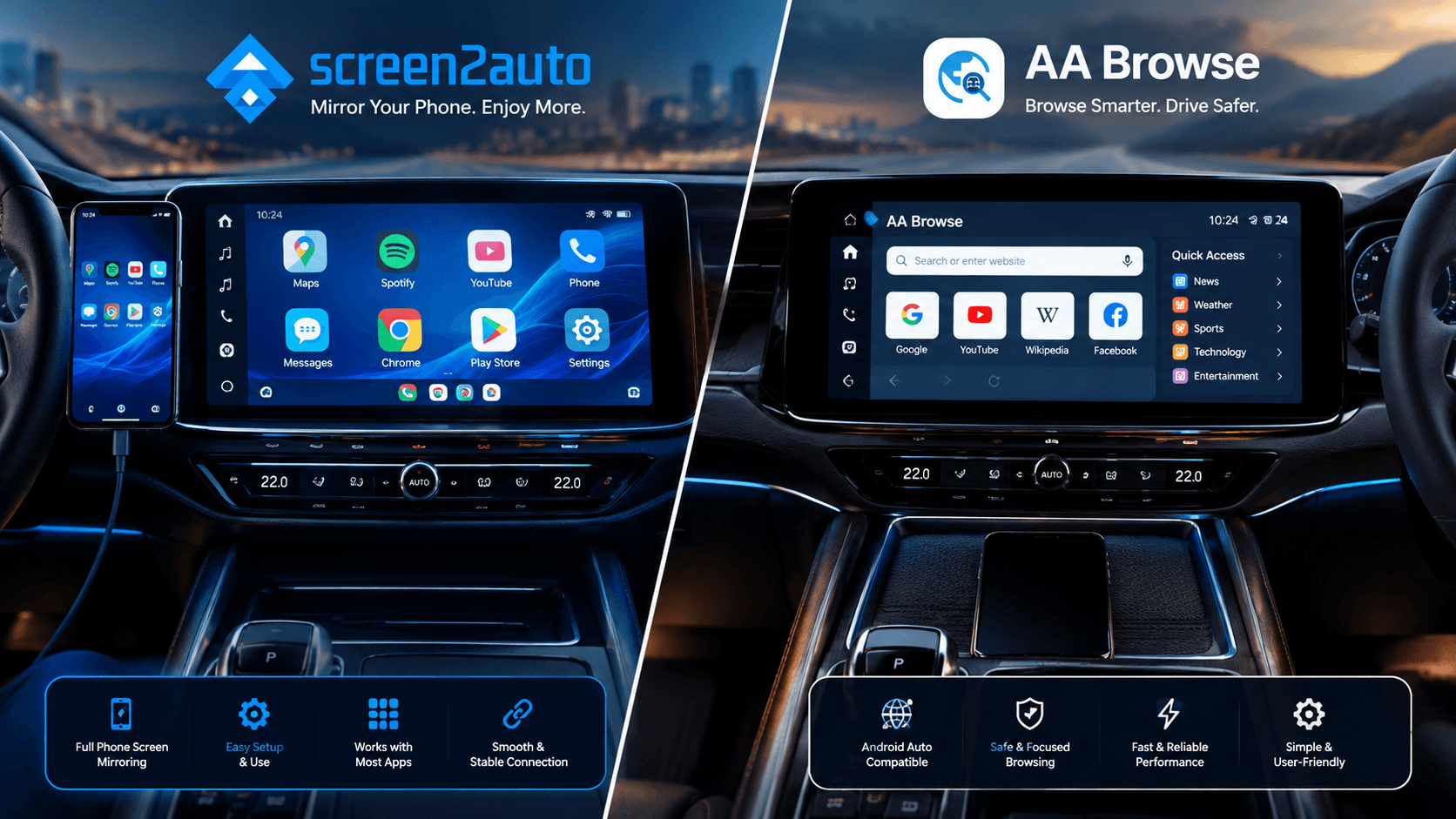
Whether you are waiting at an EV charging station, taking a parked break, or entertaining passengers on a road trip, bringing web browsing to your dashboard completely transforms the Android Auto experience.
Two primary solutions lead this space: Screen2Auto (available at screen2auto.com) and AA Browse (hosted at aabrowse.com and maintained by open-source developer on GitHub). While both bring web content to your car display, their underlying architectures, privacy models, and installation steps are completely different.
What is the Difference?
What is Screen2Auto?
Screen2Auto is a dedicated screen-mirroring suite and launcher built for Android Auto. Instead of serving as a simple browser, Screen2Auto casts your smartphone's full interface directly onto your vehicle's dashboard. This allows you to open mobile browsers installed on your phone (like Google Chrome, Brave, or Samsung Internet) with full profile synchronization, saved passwords, and extensions intact.
What is AA Browse?
AA Browse is a standalone, lightweight, open-source web browser engineered specifically for Android Auto head units. It does not mirror your mobile display. Instead, it renders web pages directly on your dashboard screen using an automotive-first interface with large touch targets, a glassmorphic layout, customizable quick-link cards, and dynamic font scaling.
Feature Breakdown
| Specification | Screen2Auto | AA Browse |
|---|---|---|
| Core Interface | Full device screen mirror & launcher | Standalone web browser interface |
| Official Repository | GitHub Repo | GitHub Releases |
| Source Code | Closed-source | Open-source (GPL-3.0) |
| Installation Method | Install via AAAD / AAStore | Install via AAStore/AAAD |
| App Ecosystem | YouTube, Netflix, Spotify & 100+ apps | Dedicated web browsing & HTML5 video |
| Phone Screen State | Must stay active (Mirrors display) | Independent execution (Screen can lock) |
| Battery Impact | Higher (Continuous screen encoding) | Low (Standard app resource usage) |
| Root Requirement | No root required (Android 8.0+) | No root required (Android 10+) |
| Development Status | Active | Active (GitHub Releases) |
Screen2Auto Profile
- Customizable car launcher with quick-access app icons and widget support.
- Full phone mirroring allows running YouTube, Netflix, Spotify & 100+ apps.
- Seamless resolution scaling and touch restoration settings.
- Phone screen must stay turned on during full display capture.
- Higher battery and processing drain due to continuous video streaming.
- Closed-source codebase (sideloading via AAAD required on newer Android).
AABrowse Profile
- 100% Open-source codebase (GPL-3.0) with zero URL tracking & private analytics.
- Runs independently on head unit—phone screen can lock or remain off.
- Optimized UI with multi-tab support, 6 quick links, and Widevine L3 video support.
- Limited strictly to web browsing/web apps (no full native Android app execution).
- Requires enabling AA Developer Settings ("Unknown Sources") manually.
- No built-in ad blocking mechanism currently implemented.
If you want full device screen mirroring to run native phone apps like YouTube, Netflix, or local video players on your dashboard, Screen2Auto is the complete solution. However, if your primary goal is clean web browsing using an open-source, privacy-focused client that keeps your phone screen turned off and cool, AABrowse provides the lighter, native Android Auto experience. Both applications can be easily installed using helper tools like AAAD or AAStore, with AAStore being the preferred download method for over 90% of users due to its direct installation process.
Comparing more than these two? See every Android Auto mirroring app compared with Screen2Auto, including root and no-root options.
Frequently Asked Questions (FAQs)
Q: Do I need to root my phone to use Screen2Auto or AABrowse?
No, you don't need to root your phone for either app. Screen2Auto works on Android 8.0 or newer, and AABrowse works on Android 10 or newer. You just need to turn on "Unknown Sources" in your Android Auto settings or use simple installer apps like AA Store.
Q: Can I watch YouTube or Netflix on my car screen?
Yes, but they work differently. Screen2Auto mirrors your whole phone screen, so you can play actual apps like YouTube and Netflix. AA Browse lets you stream videos through its web browser. Just remember to stay safe and never watch videos while driving!
Q: Why does my phone screen stay turned on when using Screen2Auto?
Screen2Auto works by copying whatever is showing on your phone screen in real time. Because of this, your phone screen has to stay on. AA Browse runs separately, so you can safely turn off or lock your phone screen.
Q: Is Screen2Auto safe to use on Android Auto?
Yes, it is safe for your phone, but since it isn't available on the Google Play Store, you have to download it from trusted sources like GitHub or AAAD.
Q: Does AA Browse work while driving?
Yes, AA Browse stays open on your car screen while driving, but some video players might pause or restrict controls depending on your car's safety settings.
Q: Which app uses less phone battery, Screen2Auto or AABrowse?
AABrowse uses much less battery because your phone screen can stay locked. Screen2Auto drains the battery faster since it continuously streams your active phone screen.