
Install Screen2Auto via AAStore
Follow these 8 simple steps to install Screen2Auto APK using AAStore on your Android device.
Free to install · One-time purchase for apps
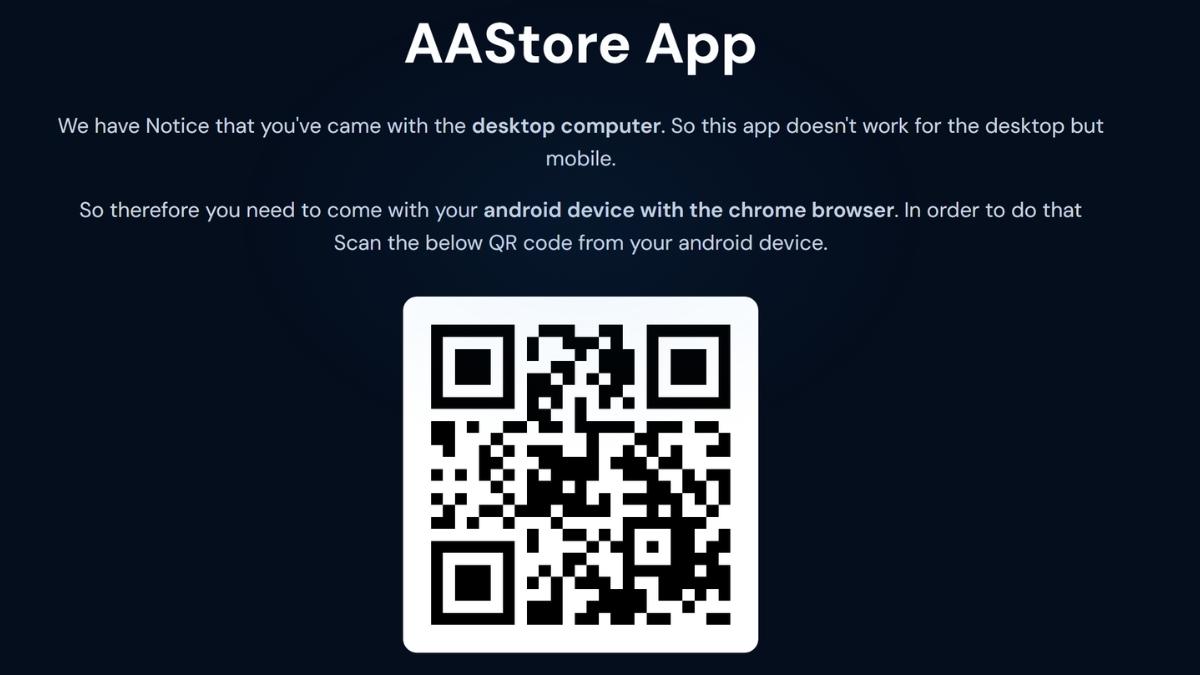
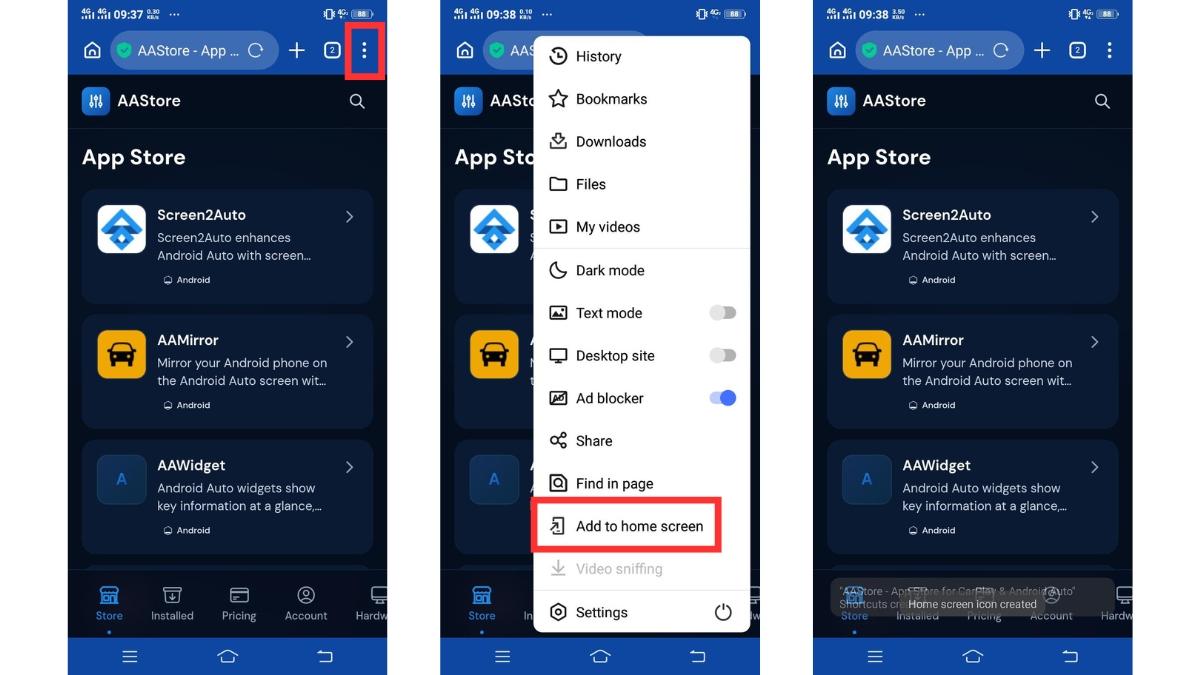
2Add AAStore to Your Android Phone
The AAStore app store page will open on your phone. Follow the on-screen instructions to add or install AAStore on your Android device.
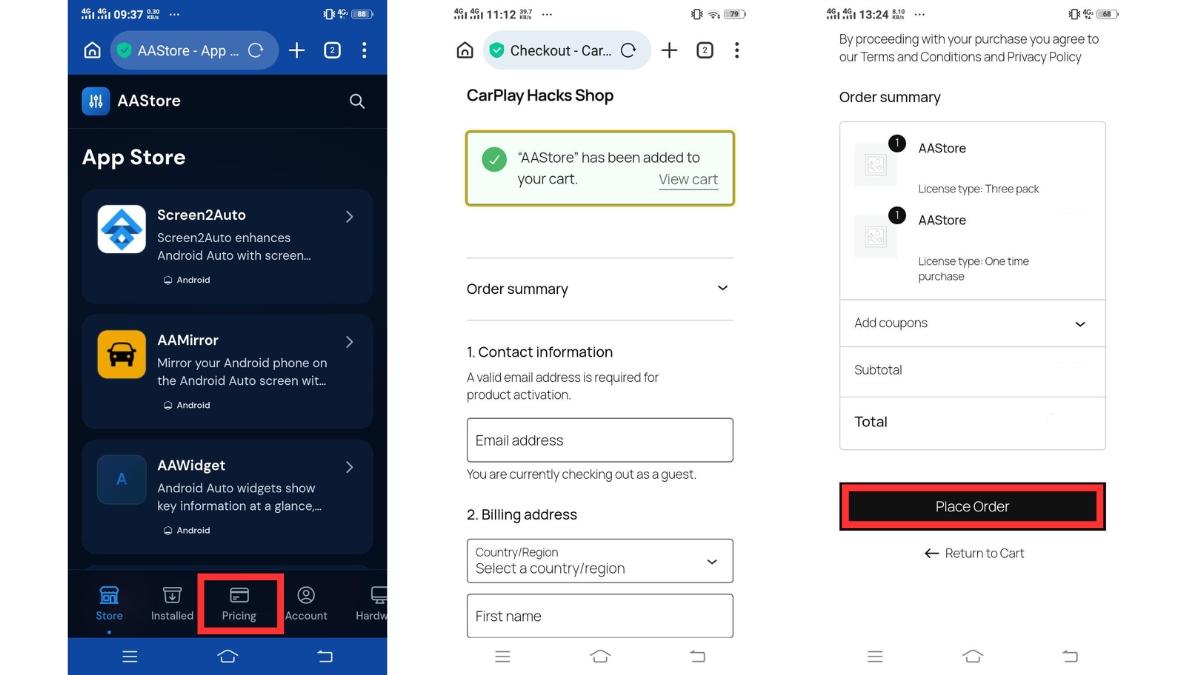
3Complete Checkout
Choose an AAStore plan based on how many apps you want to activate, then complete the one-time purchase.
Single App
Choose any 1 app — lifetime access, all future updates.
Three-pack Save 40%
Choose any 3 apps — lifetime access, priority support, all future updates.
You will receive a confirmation email after checkout. Save this email — you'll need it in Step 4.
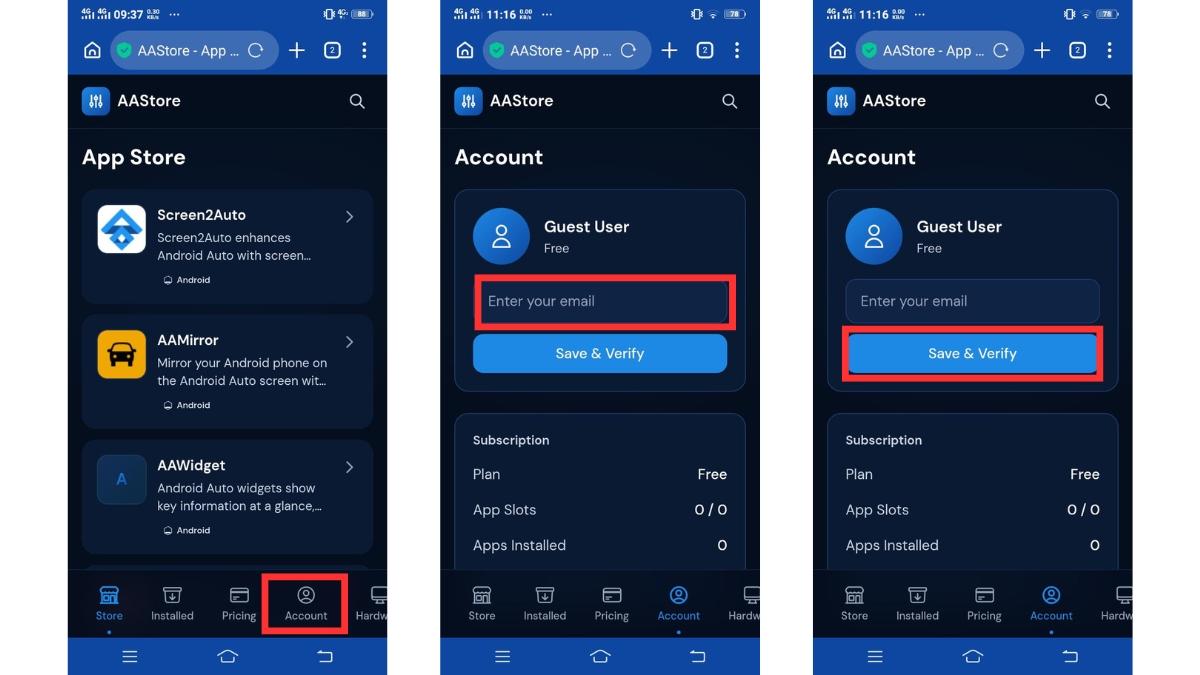
4Register and Activate Your Account
5Find Screen2Auto
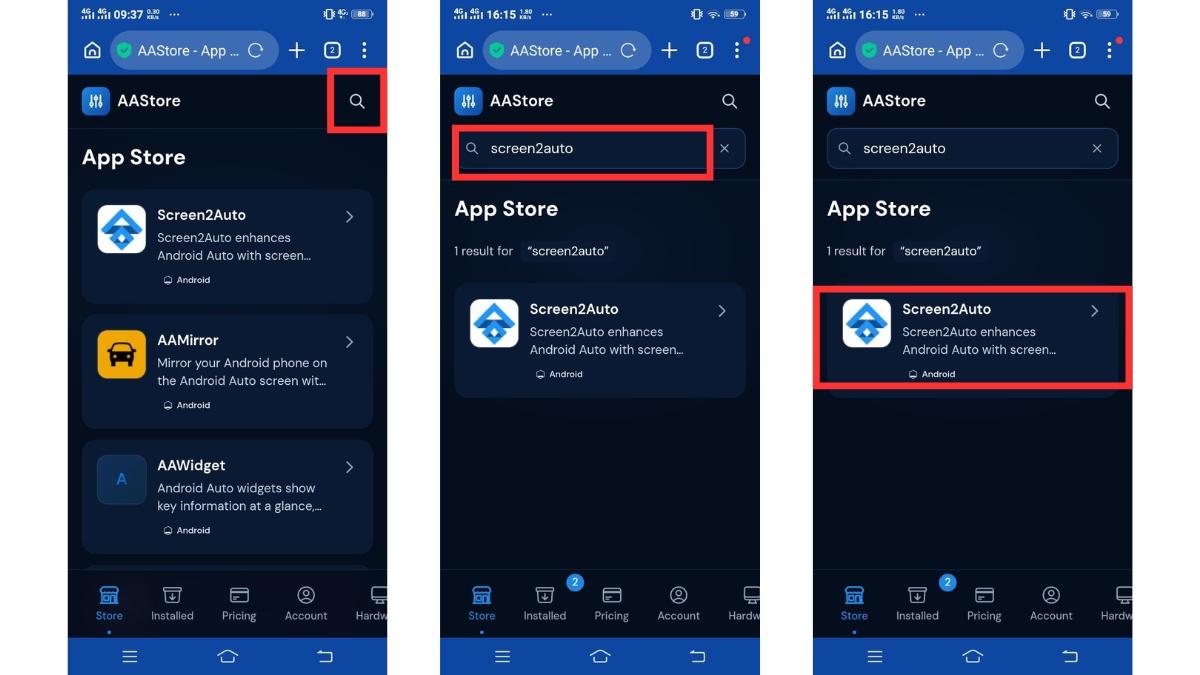
Inside AAStore, browse the app catalog or use the search option to find Screen2Auto, then open its app page.
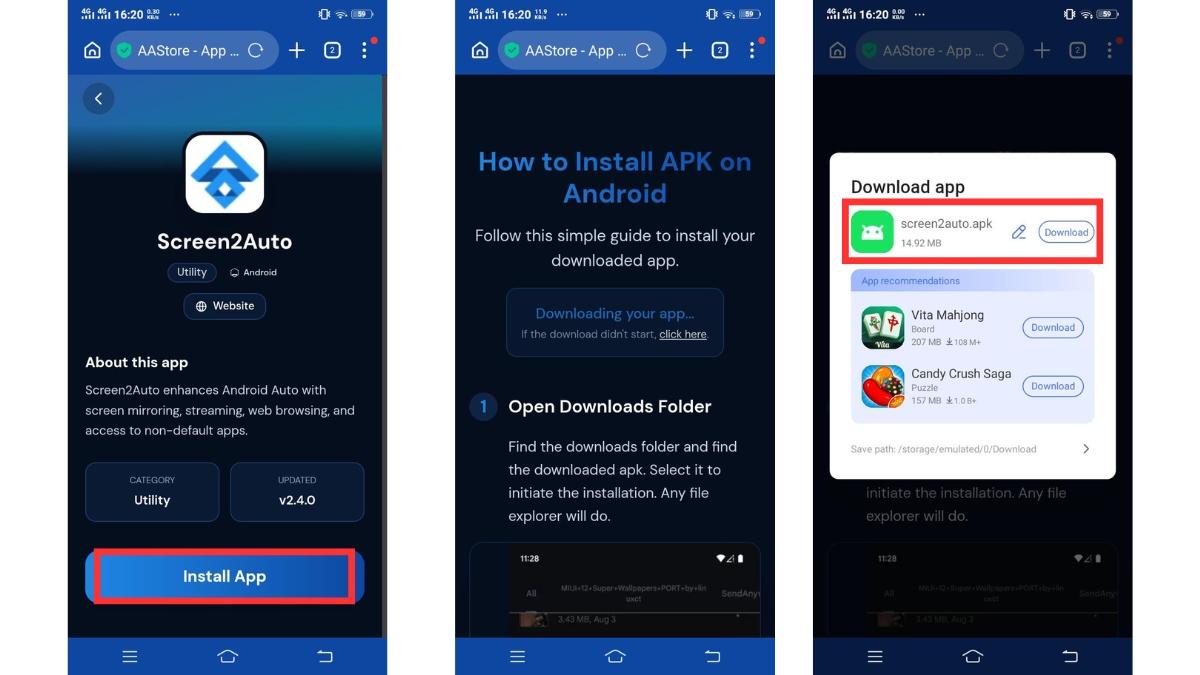
6Download Screen2Auto APK
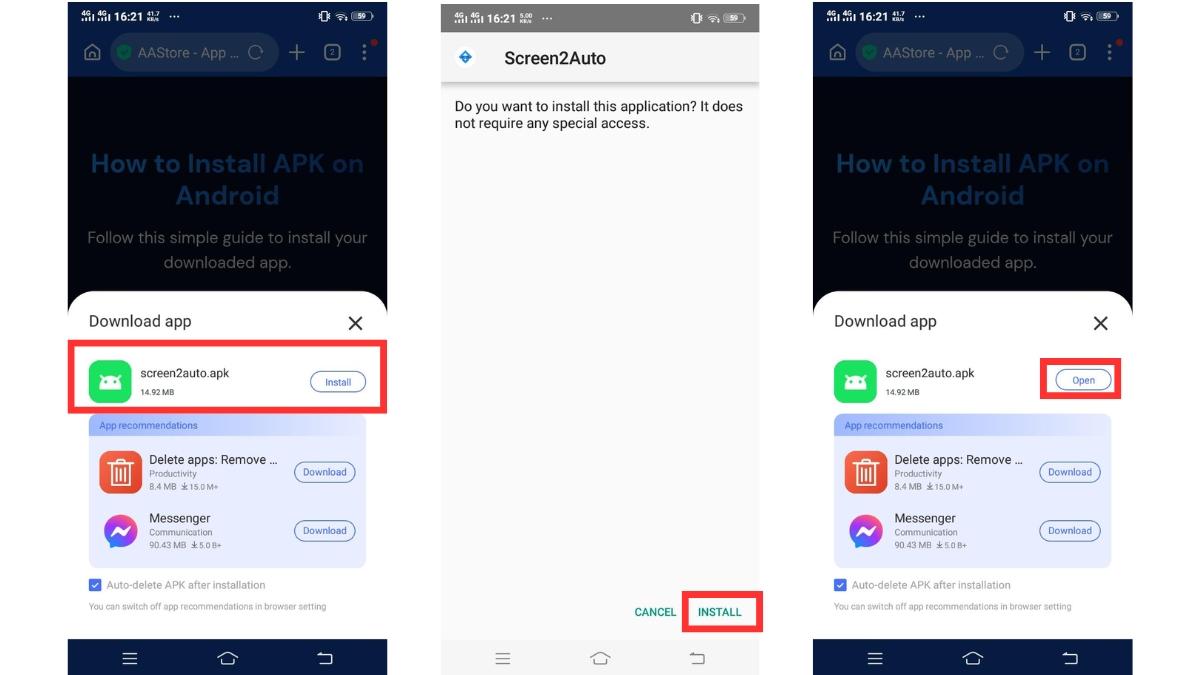
7Install Screen2Auto APK
8Connect Your Phone to Android Auto
You're all set!
Screen2Auto is now installed. Launch it from Android Auto and start mirroring your phone's screen to your car display.
Disclaimer
Screen2Auto and AAStore are third-party applications and are not affiliated with or endorsed by Google or Android Auto. Compatibility may vary depending on your Android version, Android Auto version, and vehicle system. Please use Screen2Auto responsibly and avoid using distracting features while driving.
Frequently Asked Questions
What is AAStore?
AAStore is a third-party app marketplace designed for Android Auto applications. It allows users to download and install apps that are not available through the official Google Play Store.
Why does Screen2Auto not appear in Android Auto?
This can happen because of unsupported Android Auto versions, Android Auto restrictions on third-party apps, missing permissions, incomplete installation, or phone compatibility limitations.
Can I use Screen2Auto wirelessly?
Yes, if your vehicle and phone support wireless Android Auto.
How do I update Screen2Auto?
Open AAStore and check for updates in the installed apps section. Download and install the latest version when available.
Can I uninstall Screen2Auto later?
Yes. You can uninstall it anytime from your Android phone's app settings just like any other Android application.