
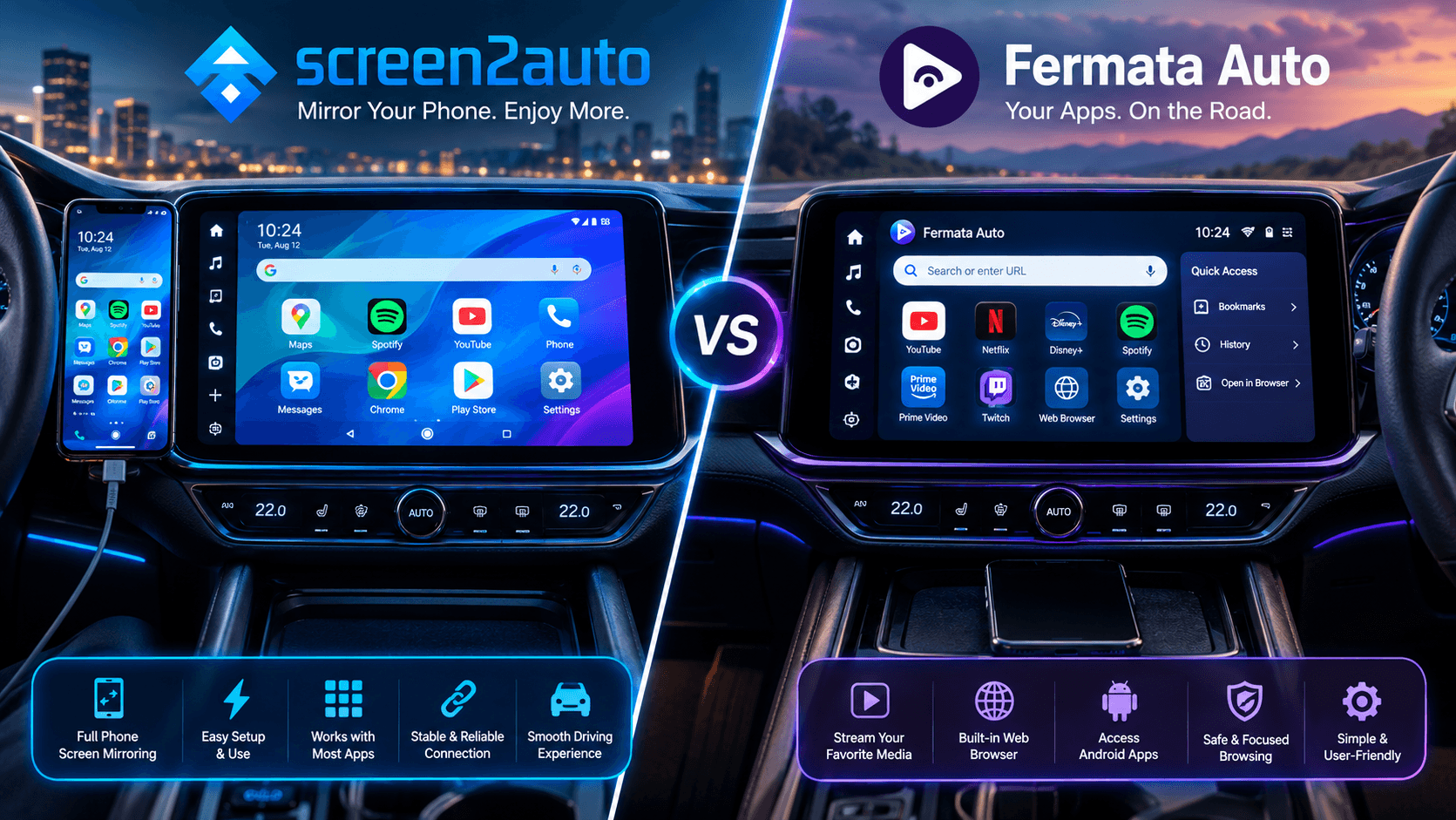
Sitting in a parked car whether you are waiting at an EV charging station or taking a break on a long road trip usually means staring at a small smartphone screen. While your vehicle's dashboard features a large, high-definition display, official Android Auto safety protocols block video streaming and non certified apps by default.
To unlock full multimedia functionality on your head unit without rooting your phone, two third-party solutions dominate community discussions Screen2Auto and Fermata Auto. While both applications bring video and custom tools to your dashboard, they are engineered around entirely different software architectures.
What is Screen2Auto?
Screen2Auto is a dedicated screen-mirroring suite and launcher built for Android Auto. Instead of running standalone media apps, Screen2Auto casts your smartphone's full interface directly onto your vehicle's dashboard. This allows you to open any mobile app installed on your phone (like YouTube, web browsers or navigation apps) with direct touch controls mirrored back to your car's display.
What is Fermata Auto?
Fermata Auto is an open-source, all-in-one media player hub engineered specifically for Android Auto head units. It does not rely on full screen mirroring. Instead, it plays content directly inside a car-friendly media interface with built-in support for YouTube, web browsers, IPTV playlists, and local video files stored on your phone.
Detailed Comparison Matrix
| Feature / Metric | Screen2Auto | Fermata Auto |
|---|---|---|
| Primary Architecture | Full phone display canvas mirror & launcher | Native multimedia player shell & web engine |
| Best Use Case | Running any mobile app on dashboard | Local video files, YouTube, & IPTV streaming |
| Root Required? | No (Optional for advanced touch mapping) | No (Supported natively across modern OS) |
| Supported Android OS | Android 8.0 to Android 16 (With bypass fixes) | Android 8.0 to Android 16 (Native stability) |
| Setup Complexity | High (Requires Accessibility & Overlay flags) | Low to Moderate (Standard media permissions) |
| Local File Playback | Requires opening phone gallery app over mirror | Direct storage directory & SD card indexing |
| IPTV / M3U Support | Requires third-party Android IPTV app | Built-in M3U playlist & EPG channel guide |
| Input & Touch Latency | Moderate (Varies by phone hardware) | Near-Instantaneous (Native UI controls) |
| Battery & Thermal Load | High (Sustained CPU/GPU display encoding) | Low (Efficient native decoder utilization) |
| DRM Content (Netflix/Disney+) | Black screen on most devices (Widevine L1 limit) | Web-based playback support (Limited) |
| Project License | Closed-Source / GitHub Repo | Fully Open Source (GitHub Repo) |
Screen2Auto Profile
- Full phone display screen-mirroring and custom dedicated launcher suite.
- Allows running any mobile app installed on phone (Netflix, YouTube, web browsers, specialized tools) with touch control.
- Works without root access on Android 8.0 through Android 16 (optional root for advanced touch mapping).
- Easy installation via AAStore or AAAD helper applications.
- High setup complexity requiring Accessibility and Overlay permission flags.
- High battery drain and thermal processing load due to sustained CPU/GPU display encoding.
- Moderate input and touch latency depending on phone hardware.
- DRM-protected services (Netflix, Disney+) result in a black screen due to Widevine L1 limits.
- Requires opening phone gallery app over mirror for local media playback.
- Closed-source project codebase.
Fermata Auto Profile
- Native media player hub with car-friendly UI for local videos, YouTube, and IPTV.
- Built-in support for M3U IPTV playlists and EPG channel guides.
- Direct indexing for local storage directories and SD card media files.
- Low CPU/GPU load and low thermal impact with efficient native decoder utilization.
- Near-instantaneous input and touch latency using native UI controls.
- Low to moderate setup complexity with native stability across Android 8.0 to Android 16.
- Fully Open Source project with official GitHub repository.
- Does not support full screen mirroring or running non-media mobile apps.
- DRM video playback is limited only to web-rendered browser streams.
Frequently Asked Questions
Is Fermata Auto or Screen2Auto better for Android Auto?
It depends on your primary goal. Screen2Auto is better if you want complete display mirroring to interact with any app installed on your phone. Fermata Auto is better if you want a stable, dedicated media player for local files, YouTube, and IPTV without the battery drain of full screen mirroring.
Does Screen2Auto need root access?
No, Screen2Auto works on non-rooted devices running Android 8.0 through Android 16 when installed via AAStore or AAAD. However, rooting unlocks advanced touch re-mapping features and prevents background service termination by aggressive battery managers.
Does Fermata Auto work on Android 14, 15, and 16?
Yes, Fermata Auto is fully compatible with Android 14, 15, and 16 when deployed via AAStore or AAAD, offering stable performance on the latest Android releases.
Can I watch DRM-protected apps like Netflix with Screen2Auto or Fermata Auto?
Direct mirroring of DRM-protected services like Netflix, Disney+, or Hulu generally results in a black screen due to hardware-level Widevine DRM restrictions. However, web-rendered media within Fermata Auto's browser can sometimes bypass standard canvas blocks. Our Netflix on Android Auto guide explains what works and what doesn’t
Can I install both Fermata Auto and Screen2Auto on the same phone?
Yes, both applications can be installed simultaneously using AAStore or AAAD. They operate independently and do not conflict with each other on your head unit's app launcher.
Where is the safest place to download Screen2Auto and Fermata Auto?
Use a verified installer. Screen2Auto installs through AAStore, with AAAD as a backup. Fermata Auto is available on its AAAD download page, which installs it so Android Auto recognizes it on Android 8.0 and newer.
Which is better for watching YouTube on Android Auto, Screen2Auto or Fermata Auto?
Both play YouTube. Screen2Auto mirrors the official YouTube app from your phone, so you keep your account, subscriptions and YouTube Premium. Fermata Auto plays YouTube inside its own car-friendly player, which puts less load on your phone. Our guide to watch YouTube on Android Auto covers the full setup. Only watch video while parked.