
Quick Answer
No, Torque Pro does not work on Android Auto out of the box.
Google strictly controls what apps appear on standard car displays to reduce driver distraction. Native Android Auto launchers only permit official navigation, media, and messaging applications. Diagnostic utilities like Torque Pro and Car Scanner ELM OBD2 feature dense numerical dials, rapid updating gauges, and multi-line graphs that do not meet Google's strict automotive safety guidelines.
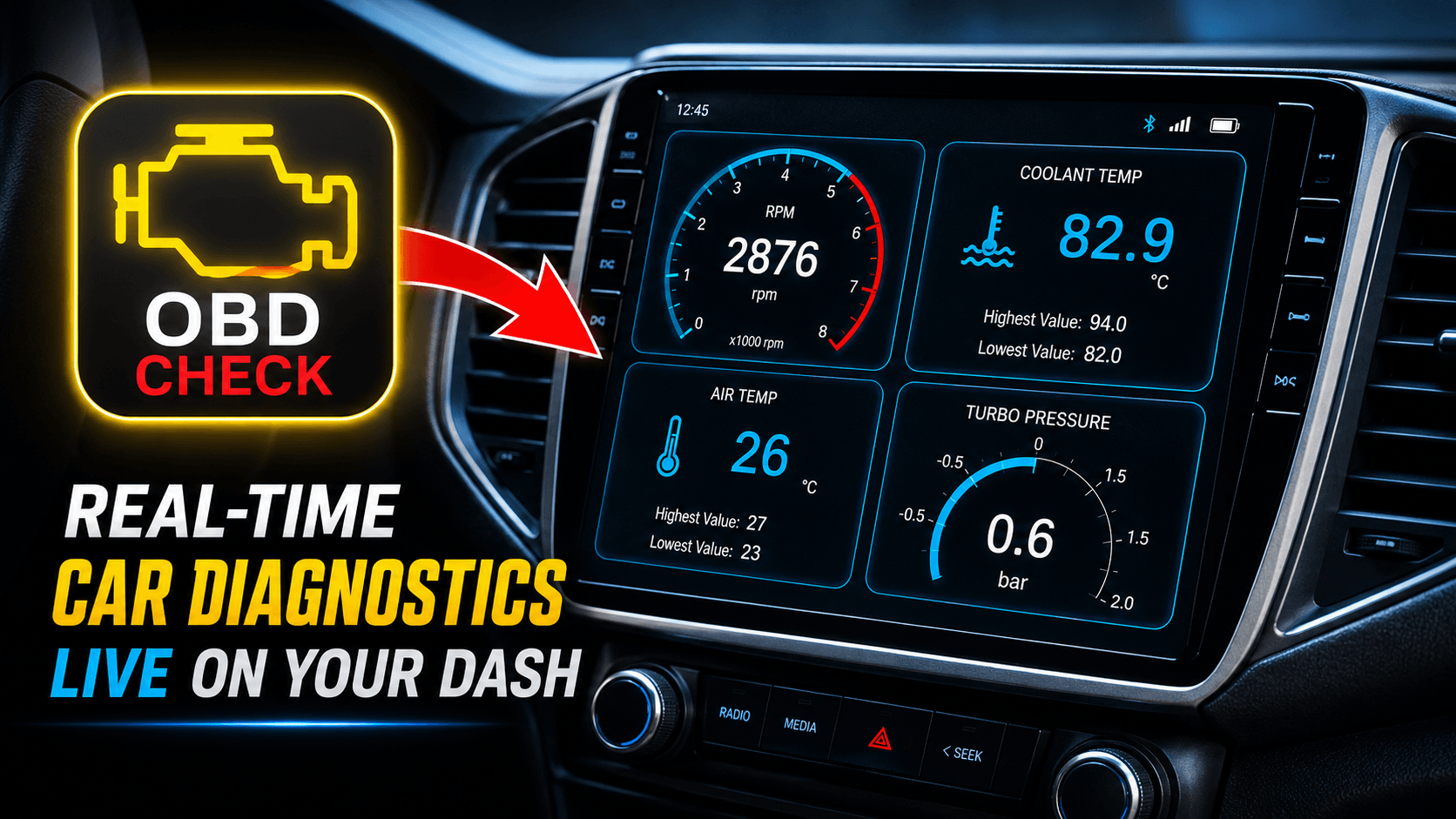
However, you can display live engine diagnostics on your dashboard using third-party screen-mirroring bridges like Screen2Auto or native overlay tools like OBD2AA.
Last Updated: August 16, 2026
What Do You Need to Buy First?
Before configuring any phone software, you need physical hardware capable of extracting live telemetry from your car's Engine Control Unit (ECU):
- OBD2 Bluetooth Scanner: This diagnostic scanner plugs into your car's 16-pin diagnostic port (usually located under the steering column or driver-side footwell)
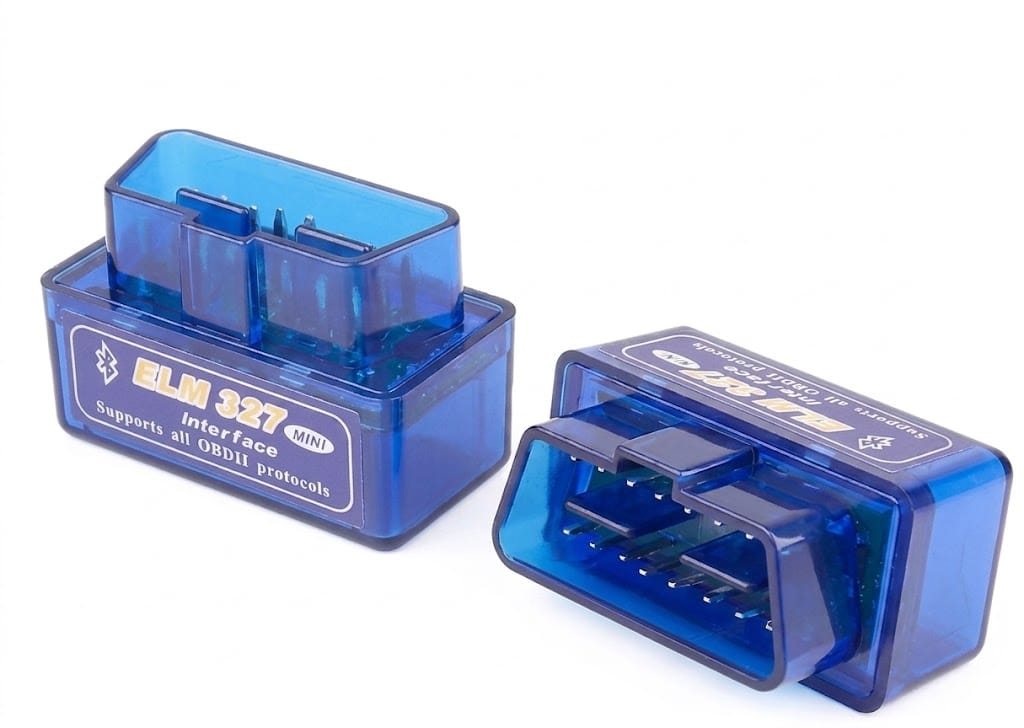
- Vehicle Compatibility: Standard 2008+ gasoline and diesel vehicles support OBD2/CAN-bus protocols natively. Older Japanese imports (JDM) may require specialized JOBD software profile configuration.
Step 1: Download & Connect Torque Pro to Your Phone Download the App:
- Go to the Google Play Store on your Android phone, search for Torque Pro , and install it.
- Insert the Adapter: Plug your OBD2 scanner firmly into your vehicle's 16-pin OBD2 port (usually located under the dashboard) and turn your ignition key to the ON position.
- Pair Bluetooth: Open your phone's Settings > Bluetooth, search for new devices, select ELM327, and pair it using PIN 1234 or 0000.
- Configure Torque Pro Settings: Open the Torque Pro app, tap the gear icon to go to Settings > OBD2 Adapter Settings > Connection Type, set it to Bluetooth, and then select your paired ELM327 device under Choose Bluetooth Device.
- Verify Telemetry Stream: Return to the Torque Pro main screen. Watch the adapter icon at the top left once it stops flashing and stays solid, your phone is successfully receiving live engine data (RPM, coolant temp, speed).
Step 2: How to Show Torque Pro Gauges on Your Car Display
Select one of these tested workaround methods to bridge your phone to Android Auto:
Method A: Full-Screen Mirroring via Screen2Auto
Screen2Auto projects your entire smartphone display onto your infotainment screen, offering complete access to your custom Torque Pro layouts.
- Enable Developer Settings: Open Android Auto Settings on your phone. Scroll down to the bottom and tap Version 10 times consecutively until Developer Mode is unlocked.
- Allow Unknown Sources: Tap the 3-dot menu icon in the top right corner > Developer Settings > check the box for Unknown Sources.
- Install Screen2Auto Via AA Store
- Adjust System Permissions: On your phone, go to Settings > Apps > Screen2Auto. Enable Display over other apps, toggle Accessibility Services to ON, and change Battery usage from Optimized to Unrestricted.
- Launch & Mirror: Connect your phone to the car via USB cable or Wireless Android Auto. Tap the Screen2Auto tile inside your car's app list, launch Torque Pro on your phone, and your custom gauges will display on the head unit.
Method 2: Install Screen2Auto with AAAD
Already using AAAD? You can download Screen2Auto directly through the app.
Simply open AAAD (or use the button above), find Screen2Auto on the main screen, and tap it. Allow the app to download, select Install when prompted, and hit Done once it is finished.
Popular Alternative: Car Scanner ELM OBD2
For drivers looking for a modern alternative to Torque Pro, Car Scanner ELM OBD2 is currently the top-rated automotive diagnostic application on the Google Play Store.
- On Standard Android Auto: Like Torque Pro, Car Scanner cannot run directly on standard Android Auto launchers and requires Screen2Auto mirroring.
- On Aftermarket Android Head Units: If your vehicle has a dedicated Android-OS display (such as Teyes, Joying, or Dasaita), you can download Car Scanner directly from the Play Store onto the dashboard without needing Android Auto.
Quick Comparison: Torque Pro vs. Car Scanner ELM OBD2
| Feature / Capability | Torque Pro | Car Scanner ELM OBD2 |
| Direct Android Auto Launcher | No (Requires Screen2Auto / OBD2AA) | No (Requires Screen2Auto) |
| Interface Style | Classic analog dial customization | Modern vector gauge dashboards |
| Vehicle Profiles | Manual PID entry required | Built-in profiles for Hybrids, EVs & JDM |
| JDM (Japanese Imports) | Basic support | Excellent support (Native JOBD protocol) |
| Coding & Adaptation | No | Yes (VAG, Toyota, and Renault tweaks) |
Troubleshooting Common Mirroring Problems
- Problem 1: Car display turns black, freezes, or disconnects.
- Root Cause: Android OS power management freezes background screen-capture processes.
- Fix: Navigate to phone Settings > Apps > Screen2Auto > Battery and select Unrestricted. Disable Pause app activity if unused.
- Root Cause: Android OS power management freezes background screen-capture processes.
- Problem 2: Gauge needle stutters or telemetry updates slowly.
- Root Cause: Low data throughput over budget ELM327 clone adapters.
- Fix: In Torque Pro settings, uncheck Faster Communication and reduce active dashboard widgets to under 6 dials on a single screen layout.
- Root Cause: Low data throughput over budget ELM327 clone adapters.
- Problem 3: The app fails to establish an OBD2 connection.
- Root Cause: Bluetooth pairing conflicts between your car's hands-free audio connection and the diagnostic dongle.
- Fix: Unpair the adapter from your phone's main Bluetooth list. Launch Torque Pro, go to Settings > OBD2 Adapter Settings > Choose Bluetooth Device, and pair directly inside the app menu.
- Root Cause: Bluetooth pairing conflicts between your car's hands-free audio connection and the diagnostic dongle.
Frequently Asked Questions
Do I need to root my phone to use Screen2Auto or OBD2AA?
No. Screen2Auto and OBD2AA work on standard, non-rooted smartphones running Android 10 through Android 15 via Developer Mode settings.
Why does screen mirroring drain battery quickly?
Video projection requires continuous CPU, GPU, and Bluetooth processing. To prevent battery drain during long drives, keep your phone plugged into a fast car charger, or use OBD2AA which consumes less battery than full-screen streaming.
Why doesn't Google allow native OBD2 gauge apps on car displays?Google enforces strict driver safety guidelines to limit driver distraction. Applications containing rapidly changing numbers, graphs, or small numerical displays are prohibited from standard car screen launchers.
Which app is better for Hybrid or Electric Vehicles (EVs)?
Car Scanner ELM OBD2 is generally superior for Hybrids and EVs because it includes pre-configured connection profiles for monitoring battery state-of-health, electric motor temperatures, and cell voltages without manual PID setup.
Can I clear Check Engine Lights (CEL) directly from the car screen?
Yes. If you use full-screen mirroring via Screen2Auto, you can open the fault code scanning menu in Torque Pro or Car Scanner ELM OBD2 and tap "Clear Faults" directly using your car’s touchscreen interface.
Will plugging in an OBD2 adapter drain my car battery when parked?
It depends on the adapter model. Budget ELM327 clones stay powered continuously even with the engine off, which can slowly drain your battery over 3-5 days of inactivity. Higher-end BLE adapters (like OBDLink MX+ or vLinker MC+) feature automatic sleep modes that drop power consumption to microamps when your car is parked.
Why are my custom Torque Pro PIDs showing "N/A" on the car display?
If a PID displays "N/A" or zero, your vehicle’s ECU either does not possess that specific hardware sensor (e.g., Oil Temperature on older models) or the PID equation requires custom header inputs specific to your car brand. Confirm that the gauge functions on your phone screen before opening Screen2Auto.
Is it legal to use screen-mirroring apps like Screen2Auto while driving?
Screen mirroring software itself is legal to install. However, traffic laws in most regions strictly penalize drivers for interacting with distracting visual displays while the vehicle is in motion. Keep your gauge layouts simple and configure all settings before putting your vehicle in drive.
Can I run Google Maps navigation alongside Torque Pro gauges?
Yes. Screen2Auto supports split-screen multi-window modes on supported Android phones, allowing you to run navigation side-by-side with your telemetry app. Alternatively, OBD2AA allows native Android Auto navigation cards while rendering custom gauge overlays on top.